

Building a better world one application at a time
MN Financial pushes faster releases with no code-automation and...
Discover how Tricentis Testim Mobile enhances Flutter development by automating testing for Flutter enums, delivering reliable, real-time insights for your app.

In this article, we’ll explore the concept of Flutter enum technology stack. By the end of this article, you’ll have a basic understanding of what an enum is, how to implement an enum in Flutter, and how to bind enums to objects.
This content is perfect for teams using Flutter who want to enhance their development workflow with automated testing solutions. Even if you’re new to Flutter or enums, this guide will help you understand how Tricentis Testim Mobile can simplify your development process.
If you haven’t explored Flutter and its development stack yet, we recommend you do so here. However, if you’re only looking to understand what enums are, you can find more information in our other articles covering your technology of preference.
Let’s move on.
Before we dive into the specifics of Flutter enum, let’s first explore what enums are.
Enums, or enumerated types, are a data type consisting of a set of named values called elements, members, numerals, or enumerators of the type.
In essence, an enum allows a programmer to use a custom type with a restricted set of values instead of using an integer to represent a set of values.
Enums, or enumerated types, are a data type consisting of a set of named values called elements, members, numerals, or enumerators of the type.
For example, if we use the colors of the rainbow, which are
the compiler will now internally use an int to hold these. If no values are supplied, red will be 0, orange will be 1, etc.
Pretty simple, right?
Great, moving on.
Before we jump into examples of enums in Flutter, we want to build a simple Flutter app that you can use to test the samples that we’ll be demonstrating in this article.
In order to create a simple Flutter app, we’ll be using the online Flutter compiler DartPad, but if you want to run your apps on your system, feel free to jump to the Flutter guide website here and make sure you have your environment set up. But, again, we’ll be keeping it simple for this article and refer only to DartPad.
Now, to create your first Flutter app, all you need to do is make the skeleton for the view and state of the application. Feel free to use this one and add it to DartPad.
import 'package:flutter/material.dart';
void main() => runApp(MyApp());
class MyApp extends StatefulWidget {
  @override
  _MyAppState createState() => _MyAppState();
}
class _MyAppState extends State {
  @override
  Widget build(BuildContext context) {
    return MaterialApp(
      home: Scaffold(
        appBar: AppBar(
          actions: [],
        ),
        body: Column(
          children: [
            Text("HELLO WORLD!"),
          ],
        ),
      ),
    );
  }
}
If you run this code, you’ll be greeted with the following:
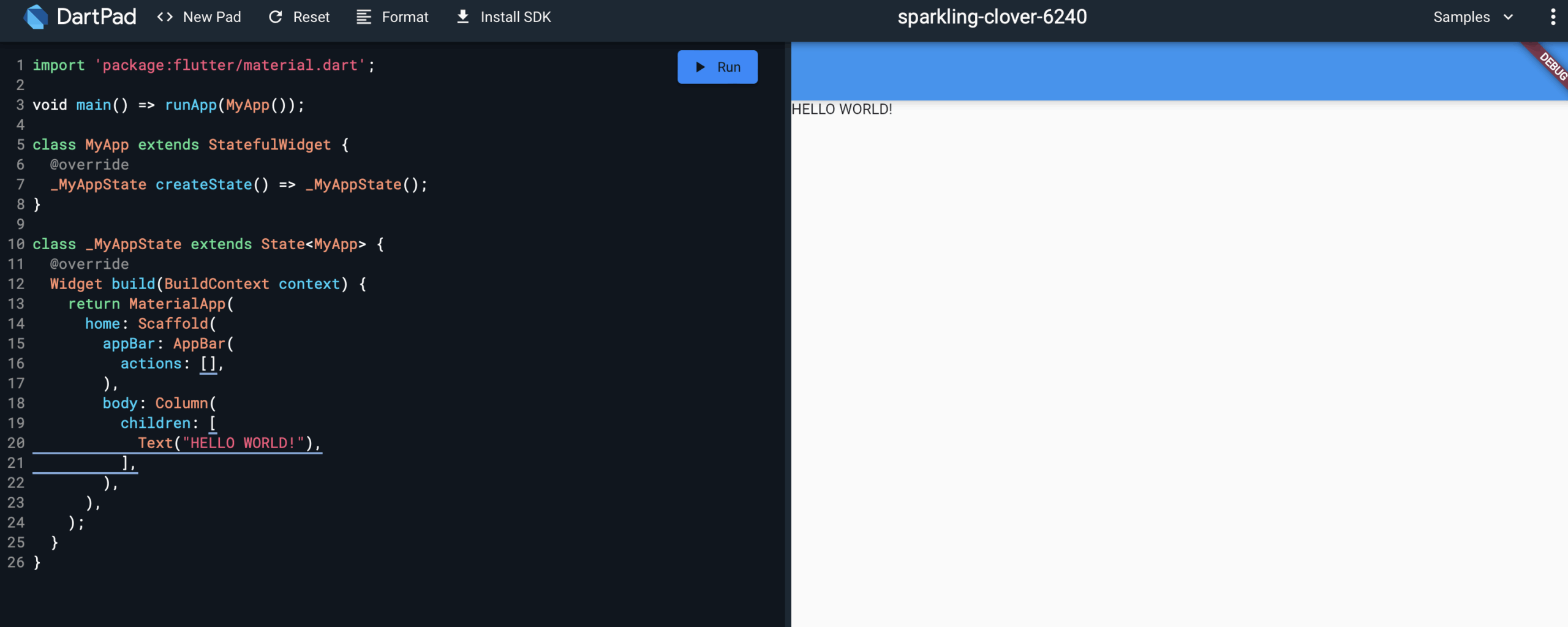
Notice that we just have a simple text view with the text “HELLO WORLD!” in it. For the purpose of this article, we’ll be restricting our code to this structure, but feel free to play with it and modify whatever you want.
Once you feel like you understand what’s going on with the view structure in this example, you can continue to the rest of the article.
Now, let’s explore an example of a simple enum in Dart.
As mentioned above, an enum is used to define named constant values.
An enumerated type is declared using the keyword “enum.”
Tricentis Testim Mobile offers powerful features that automate the testing of your Flutter applications, including enums. Automating these tests ensures that your app behaves as expected across various scenarios, reducing the chances of bugs slipping into production.
Dynamic Testing: Tricentis Testim Mobile can handle dynamic screens and varying load times, ensuring that your enums are tested reliably under different conditions.
Real-time Feedback: Get immediate insights into the performance of your enums and other code elements, allowing you to catch and fix issues quickly.
Ease of Use: The platform is designed for simplicity, so you can integrate it into your development process without extensive setup or learning curves.
Following the colors of the rainbow example, here’s an enum representing the same data in Dart:
enum MyColors {
   red,
   orange,
   yellow,
   green,
   blue,
   indigo,
   violet
}
Notice that we didn’t define any integer values.
In Dart, inputting these values is unnecessary since each of the symbols in the enumeration list stands for an integer value.
By default, the value of the first enumeration symbol is 0, which essentially denotes an index of the order of items in the enum.
If you want to see them in action, you can run the following code, see for yourself, and confirm if the result matches our prediction.
enum MyColors {
red,
orange,
yellow,
green,
blue,
indigo,
violet
}
void main() {
print(MyColors.values);
}
// RESULT
// [MyColors.red, MyColors.orange, MyColors.yellow, MyColors.green, MyColors.blue, MyColors.indigo, MyColors.violet]It’s important to note that enums normally cannot be set to a value after compilation, as they aren’t intended to be mutable.
As mentioned by one of the developers of Dart, “As of now, Dart enums are not mutable structures.”
However, getting values from an enum—that’s another matter entirely.
All you need to do to get the value of an enum in Dart is refer to the specific property or index of the value you want.
enum MyColors {
red,
orange,
yellow,
green,
blue,
indigo,
violet
}
void main() {
print(MyColors.values);
MyColors.values.forEach((v) => print('value: $v, index: ${v.index}'));
}
// RESULT
// [MyColors.red, MyColors.orange, MyColors.yellow, MyColors.green, MyColors.blue, MyColors.indigo, MyColors.violet]
// value: MyColors.red, index: 0
// value: MyColors.orange, index: 1
// value: MyColors.yellow, index: 2
// value: MyColors.green, index: 3
// value: MyColors.blue, index: 4
// value: MyColors.indigo, index: 5
// value: MyColors.violet, index: 6
Run the code and confirm if it’s printing the colors and their index according to the expected result.
Additionally, you can add enums to class objects and use them as properties to define and retrieve values for your object instances.
A simple example would be something like the following:
enum MyColors {
   red,
   orange,
   yellow,
   green,
   blue,
   indigo,
   violet
}
class Flower {
  final String name;
  final MyColors color;
  Flower(this.name, this.color);
}
final myFlower = Flower("Rose", MyColors.blue);
void main() {
  if (myFlower.color == MyColors.blue) {
    print("That's a special flower!");
  } else {
    print("That's just a normal rose");
  }
}
Notice that you can directly check and compare the value of an enum with the definition itself without needing to refer to its index. This behavior happens because Dart is smart enough to know that each enum is a type of its own and can check them at compile and runtime.
Now that we’ve explored the fundamentals of enums and how to represent them in Dart, let’s see how we can do more complex stuff like binding an enum to a view.
For this example, we’ll be binding the color enum to a DropdownButton.
If you have a DropdownButton view already set, then go to the instance where it’s initialized and change it to the following:
import 'package:flutter/material.dart';
void main() => runApp(MyApp());
class MyApp extends StatefulWidget {
  @override
  _MyAppState createState() => _MyAppState();
}
class _MyAppState extends State {
  MyColors? myColor = MyColors.red;
  @override
  Widget build(BuildContext context) {
    return MaterialApp(
      home: Scaffold(
        appBar: AppBar(
          actions: [],
        ),
        body: Column(
          children: [
            DropdownButton(
                value: myColor,
                onChanged: (MyColors? newValue) {
                  setState(() {
                    myColor = newValue;
                  });
                },
                items: MyColors.values.map((MyColors color) {
                  return DropdownMenuItem(
                    value: color,
                    child: Text(color.toString()));
                }).toList()
            ),
          ],
        ),
      ),
    );
  }
}
enum MyColors {
   red,
   orange,
   yellow,
   green,
   blue,
   indigo,
   violet
}
that we set the DropdownButton type argument to be the enum type.
Running this code would give you the following result:
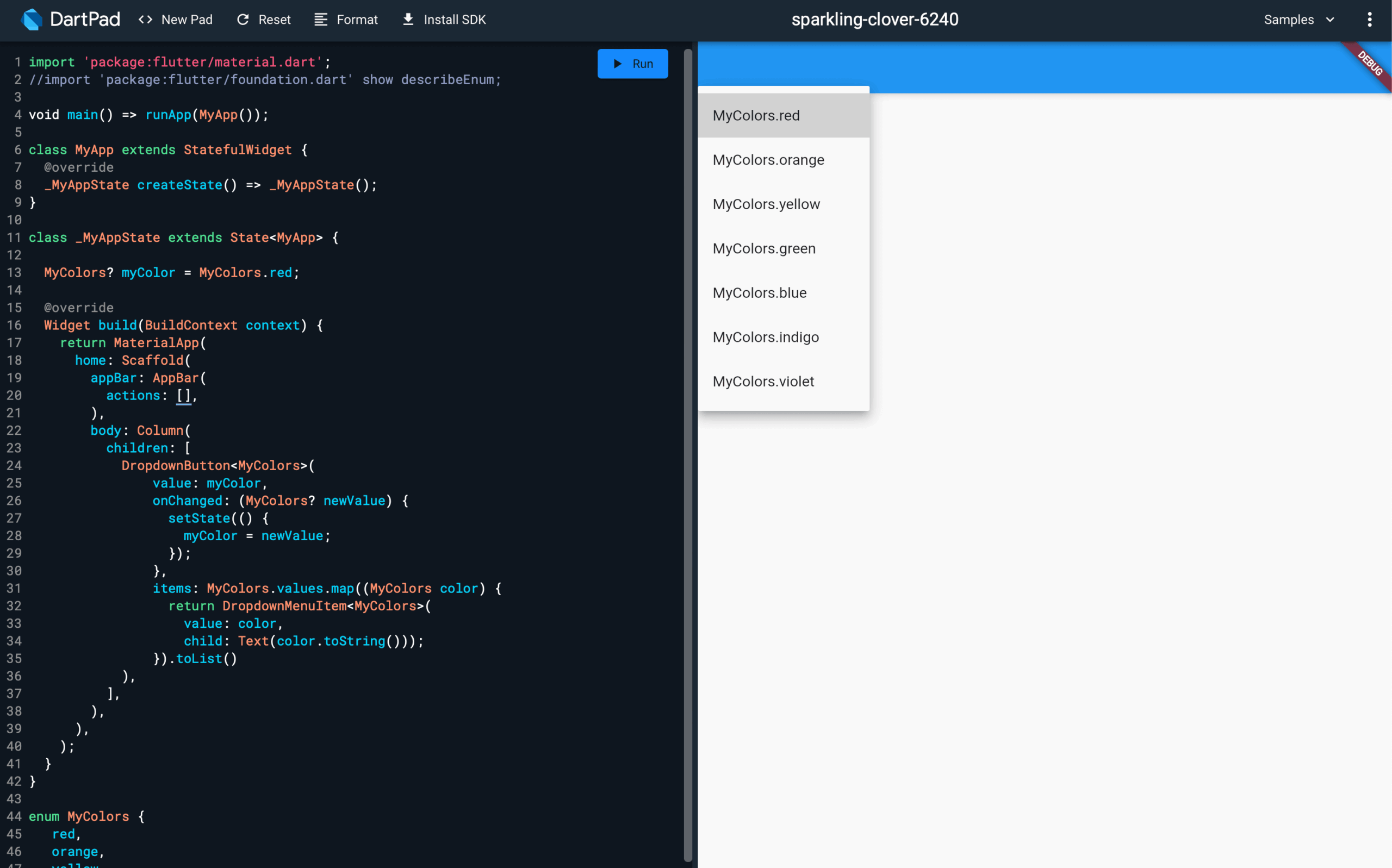
You can now proceed to check the dropdown and see that all the colors are available for you to select.
Now, let’s say you want to add some extra functionality to your enum. For example, you might want to print some custom text for each value depending on certain conditions, and doing it on each method of your application is not practical.
Well, you can easily do that by extending your enum with extra methods on Dart.
In order to extend our enum, all we need to do is use the “extension” directive and create a special class that contains the methods to add to our enum.
You can see an example of this approach right here:
import 'package:flutter/material.dart';
import 'package:flutter/foundation.dart' show describeEnum;
void main() => runApp(MyApp());
class MyApp extends StatefulWidget {
  @override
  _MyAppState createState() => _MyAppState();
}
class _MyAppState extends State {
  bool isRed = true;
  @override
  Widget build(BuildContext context) {
    MyColors? myColor = getRandomColor(isRed);
    return MaterialApp(
      home: Scaffold(
        appBar: AppBar(
          actions: [
            FlatButton(
              onPressed: () {
                setState(() {
                  isRed = !isRed;
                });
              },
              child: Text(myColor != null ? myColor.displayTitle : 'None'),
            )
          ],
        ),
        body: Column(
          children: [
            Text(() {
              switch (myColor) {
                case MyColors.red:
                  return 'The state is RED';
                case MyColors.blue:
                  return 'The state is blue';
                default:
                  return 'THERES NO STATE!';
              }
            }()),
          ],
        ),
      ),
    );
  }
}
enum MyColors {
   red,
   orange,
   yellow,
   green,
   blue,
   indigo,
   violet
}
extension ColorExtension on MyColors {
  String get name => describeEnum(this);
  String get displayTitle {
    switch (this) {
      case MyColors.red:
        return 'This is red';
      case MyColors.orange:
        return 'This is orange';
      case MyColors.yellow:
        return 'This is yellow';
      case MyColors.green:
        return 'This is green';
      case MyColors.blue:
        return 'This is blue';
      case MyColors.indigo:
        return 'This is indigo';
      case MyColors.violet:
        return 'This is violet';
      default:
        return 'MyColors is null';
    }
  }
  Color color() {
    switch (this) {
      case MyColors.red:
        return Colors.red;
      case MyColors.orange:
        return Colors.orange;
      case MyColors.yellow:
        return Colors.yellow;
      case MyColors.green:
        return Colors.green;
      case MyColors.blue:
        return Colors.blue;
      case MyColors.indigo:
        return Colors.indigo;
      case MyColors.violet:
        return Colors.purple;
      default:
        return Colors.transparent;
    }
  }
}
MyColors? getRandomColor(bool isRed) {
  switch (isRed) {
    case true:
      return MyColors.red;
    case false:
      return MyColors.blue;
    default:
      return null;
  }
}
This code would give you the following result:
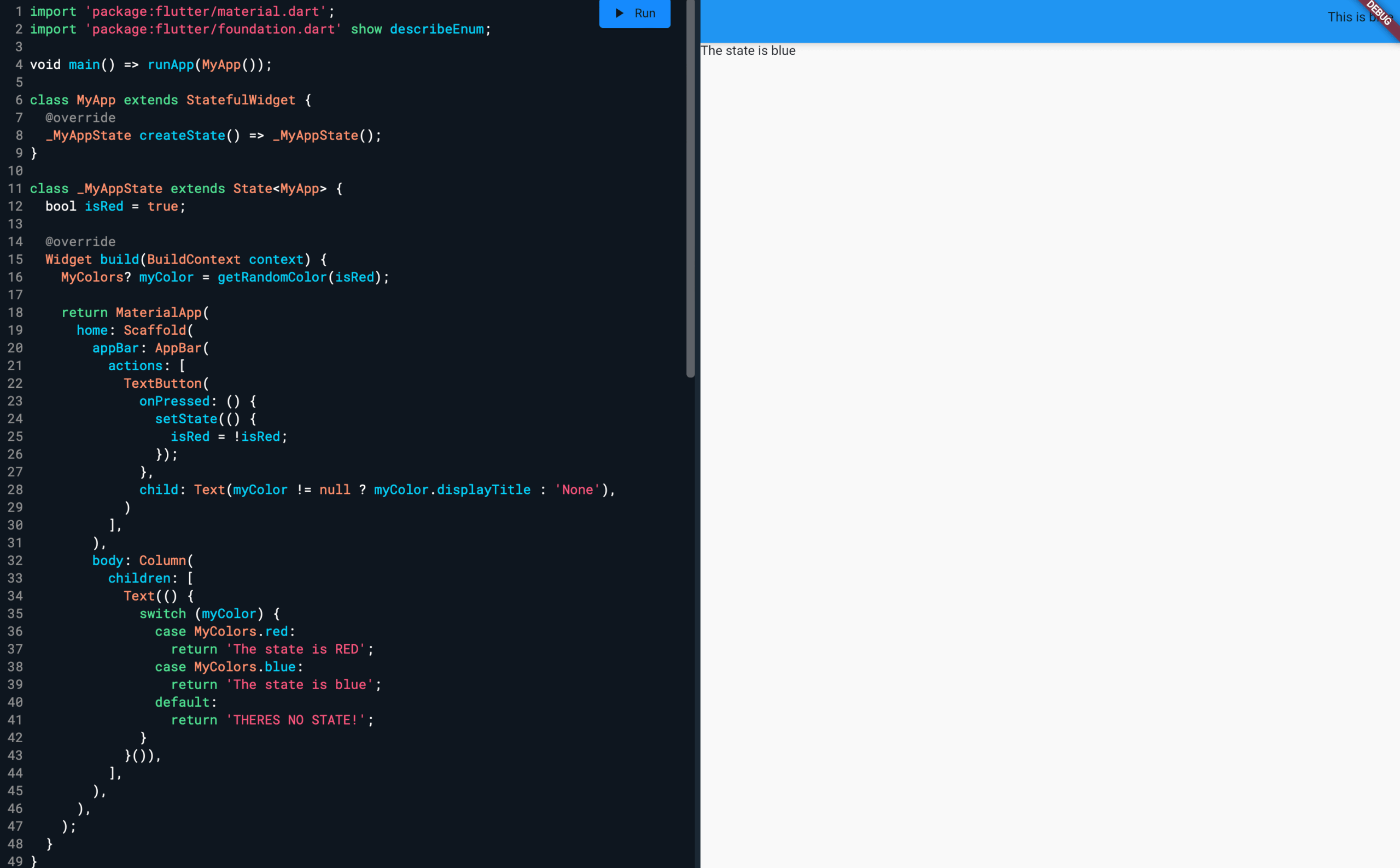
Notice that we’ve added two methods: a displayTitle method that returns the custom string and a color method that returns the actual color object in Flutter.
Quite simple, right?
In developing applications, we might face challenges in the form of complex requirements or unforeseen limitations with APIs and hardware. When building complex systems and services with broad reach, it’s essential to keep these challenges in mind while optimizing our solution to provide a robust and solid experience for our users. With Tricentis Testim Mobile, you can automate tests for these extended functionalities, ensuring that your custom methods perform as expected.
Automated testing is crucial in today’s fast-paced mobile development environment. Tricentis Testim Mobile provides a comprehensive solution that simplifies the testing of Flutter applications, including complex scenarios like enums. By integrating Tricentis Testim Mobile into your workflow, you ensure your apps are robust, reliable, and ready for market.
Ready to take your Flutter development to the next level? Explore how Tricentis Testim Mobile can transform your testing process and deliver superior results.
There’s a lot more that can be done to make applications that are very robust and complex. However, for most of the requirements that you might face, this is a good start.
In this post, we’ve learned what comprises a Flutter application, how to implement enums, and how to make the best use of all the possibilities that the platform offers you. With this knowledge, you should be able to produce solutions that your clients will love.
Ready to take your Flutter development to the next level? Explore how Tricentis Testim Mobile can transform your testing process and deliver superior results.
The author of the post is Juan Reyes.
As an entrepreneur, skilled engineer, and mental health champion, Juan pursues sustainable self-growth, embodying leadership, wit, and passion. With over 15 years of experience in the tech industry, Juan has had the opportunity to work with some of the most prominent players in mobile development, web development, and e-commerce in Japan and the US.