

Webinars
Agentic Test Creation: AI-driven creation, analysis, and management
Boost release confidence with AI driven test creation that focuses...
Learn how agentic AI enhances performance testing, adapts load strategies, and improves performance validation at scale.

Platforms like Replit, Lovable, and Emergent have made it easier for vibe coders to both create and debug code. The code that’s getting spit out of these tools? It’s passing more than just the “vibe test.” This is agentic testing at work.
The corporate world is catching on. A 2025 KPMG survey found that 65% of businesses over the $1 billion revenue mark had already moved from AI agent experimentation into active pilots.
Anthropic’s research predicts that agents will evolve “from handling discrete tasks that complete in minutes to working autonomously for extended periods, building and testing entire applications and systems with periodic human checkpoints.”
In this guide, we’ll explore agentic performance testing, some common use cases, and how it actually works.
TL;DR: Modern cloud applications with microservices and APIs require performance testing to detect bottlenecks, latency issues, and system failures under heavy load.
Modern software is basically a myriad of microservices, serverless functions, and third-party APIs, all stitched together, sitting on the cloud that serve a global user base, 24/7. This complexity creates considerable uncertainty with system behavior.
To solidify reliability, all components must be performance tested. The codebase needs to remain stable and maintain speed under sustained usage and at a variety of loads.
This type of testing reveals bottlenecks, latency issues, and points of failure that can disrupt pipelines in production. Important data points like average page load time, throughput, CPU usage, and error rate are measured.
Imagine owning a cloud-based gifting app called “Giftzy” serving France and China.
You’ll need to ensure that the app doesn’t break while serving millions of concurrent users across geographically distributed data centers. Especially during peak seasons like the Lunar New Year and Christmas holidays.
The stakes are pretty real. An Akamai study found that a mere 0.1-second delay in website load time hurt conversion rates by 7%.
An agentic system can design test scenarios based on traffic flow, run load tests, analyze the results on your behalf, identify the root causes, and then adjust the parameters to fix the issues—all on its own.
TL;DR: Agentic AI uses autonomous agents to design, run, analyze, and adjust performance tests based on real system behavior.
An AI agent is an AI system that figures out what needs to be done, does it, reviews and analyzes the results, and then adjusts its approach on the go, all without human handholding.
They’re more powerful compared to regular AI-assisted tools. An AI agent doesn’t just provide superficial insight. It actually acts.
Think of a pressure chamber at a bar soap factory. An AI agent maintains the pressure against a set threshold. If breached, it triggers an actuator and a release valve.
It stops once the pressure is back to the base level. Over time, it learns pressure patterns and acts preemptively, before the spike can even occur.
Now apply the same concept to performance testing. An agentic system can design test scenarios based on traffic flow, run load tests, analyze the results on your behalf, identify the root causes, and then adjust the parameters to fix the issues—all on its own.
Traditional performance testing is manual and tedious. Engineers write scripts, configure load profiles, run tests, extract results, interpret them, and then take appropriate action. Lean teams often only cover primary scenarios.
With agentic performance testing, the system observes real-time system behavior, decides which tests to run, executes them, analyzes outcomes, and then triggers follow-ups—all while the engineer is on lunch break.
The human simply keeps watch. Agentic systems run more test variations at frequencies humans can’t match.
TL;DR: Agentic systems ingest system data, decide which tests to run, execute them, analyze results, and refine testing strategies in a continuous cycle.
Agentic performance testing systems operate through a continuous cycle:
The agent ingests data from several sources, like a website/app’s traffic logs and database snapshots.
Based on the data points, the agent decides which test scenarios are the most relevant. For example, it raises questions such as:
From there, the agent prioritizes accordingly.
The agent generates and executes the required test scripts. The agent might run spike tests and stress tests to gauge how the system responds to different traffic volumes.
After each test run, the agent analyzes the result. Next, it compares it to the baseline and, if needed, adjusts its parameters accordingly.
Performance testing is not about finding bugs but bottlenecks.
Agentic AI comes in handy when the data is changing rapidly:
Agentic AI doesn’t just automate the mechanical bits of performance testing. It fundamentally improves the quality, granularity, and speed of issue resolution.
Scott Barber, co-author of Performance Testing Guidance for Web Applications, states: “Performance testing is not about finding bugs but bottlenecks.” Agentic AI supercharges this very effort by using smart autonomous decision-making.
Teams that employ AI agents realize four very important benefits:
Agentic performance testing drives continuous performance validation for the application across builds, not just before major releases.
TL;DR: Teams can adopt agentic performance testing by establishing baseline metrics, connecting real-time observability data, defining performance goals, and gradually expanding testing automation.
In most cases, you can just add agentic capabilities on top of what you already have. You don’t really need to overhaul your entire tech stack. A suggested route is outlined below:
You can’t optimize without knowing what your baseline is. Run load tests and capture key metrics like active connections, throughput, error rate, time to interact, and resource utilization (CPU, memory, etc.).
Agentic systems require real traffic numbers to generate realistic scenarios. Connect your observability tool to send in data for the agent to be aware of any real-time traffic flux.
Agents need to know what the “ideal” or “good” state looks like. Set up SLA thresholds for response times, error budgets, concurrent users, network bandwidth, and query response times.
Pick one pipeline and apply a test case to gauge the agent’s capability. Perform multiple runs and compare the results to your baselines. Review the results for a few runs and get confident before you expand to the entire codebase.
Once you’re confident that the agent works well, expand the capability. Keep the human in the loop in terms of reviews. Eliminating human oversight isn’t the way to go. If the agent’s decisions fall short, tune the agent against ideal thresholds.
TL;DR: Agentic performance testing helps industries like e-commerce, healthcare, and gaming simulate traffic surges and identify performance bottlenecks before outages occur.
Agentic performance systems are benefiting several use cases across industries:
Imagine you own a website selling NFL team merchandise. During the last Super Bowl, your traffic spiked to six times your baseline.
Your site crashed, resulting in a $12,000 loss over a six-hour period. The experience was definitely not fun, and to prevent such outages, you deploy a performance testing agent.
The agent ingests past traffic patterns, auto-generates a spike test on every deployment, and automatically extends the bandwidth ahead of expected surges. Effectively, this can catch bottlenecks before they become outages.
Similar to the example shared above, the agents can test patient portals and scheduling systems during appointment booking surges or during busy times of the year.
Agents stress-test matchmaking mechanisms and spike-test gameplay servers before major game launches, as well as during holidays/discount seasons, when usage can increase tremendously.
Agentic performance testing is the use of AI agents to plan, execute, analyze, and adapt performance tests without detailed human involvement.
Tricentis NeoLoad supports continuous performance testing across APIs, microservices, CI/CD pipelines, and end-to-end application testing. Have a legacy system or DevOps toolchain that needs agentic AI capabilities? Tricentis NeoLoad can help. Contact us today!
This post was written by Ali Mannan Tirmizi. Ali is a senior DevOps manager and specializes in SaaS copywriting. He holds a degree in electrical engineering and physics and has held several leadership positions in the manufacturing IT, DevOps, and social impact domains.
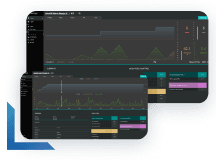
Learn more about continuous performance testing and how to deliver performance at scale.
Learn more about continuous performance testing and how to deliver performance at scale.
Agentic performance testing is the use of AI agents to plan, execute, analyze, and adapt performance tests without detailed human involvement.
Traditional performance testing is mostly a manual affair, while agentic performance tests are automated and adaptive.
No. Most teams can layer the agentic capabilities on top of their existing setup in order to test more efficiently and effectively.