

Webinars
Achieve extreme automation with API testing and service virtualization
Find out how to test APIs directly and learn about a method for...
Test maintenance is the process of maintaining a test suite to ensure it keeps up with code changes. Let’s learn more.

Edsger W. Dijkstra once said, “If debugging is the process of removing software bugs, then programming must be the process of putting them in.”
This means an ever-evolving software product definitely needs an automated test suite that is constantly adapting to account for new code and ensuring that the tests support old code accurately.
This is where the concept of test maintenance comes in handy. In this post, we’ll explore the know-hows of test maintenance and learn how it can be crucial during software development.
Test maintenance is the process of maintaining a test suite to ensure it keeps up with code changes. It also entails ensuring that the infrastructure and tools used to run the test suite are also up-to-date. It also includes fixing broken tests and removing obsolete checks.
Test maintenance comes into the picture after the initial test creation, and from there on, it becomes a permanent part of the software life cycle.
In an Agile environment, there are multiple releases in a day for the same code. Maintaining tests ensures that the new changes don’t break old code (e.g., new code doesn’t introduce a regression).
It also ensures that the CI/CD pipeline is not slowed down by outdated tests that don’t test any existing functionality. Broken tests raise alarms, while outdated tests miss potential bugs.
Test maintenance is the process of maintaining a test suite to ensure it keeps up with code changes
Let’s go through some of the broader categories of testing:
Unit tests check a single function or class in isolation. If you change a helper method, the unit test will tell you if you broke something fundamental. They’re fast, cheap, and your first line of defense.
Once two or more units (modules, services, etc.) must work together, you need to verify that the plumbing still holds: module A passes data to B, the database writes and reads correctly, the micro-services talk, and so on. Integration tests cost more to run, but catch issues that unit tests miss.
End-to-end tests simulate the full flow in a production-like environment. They are high cost and high value, but also high maintenance.
These generally check whether the system meets a higher-level business requirement, such as, “Can the customer place an order?” or “Does the report generate correctly for the manager?” They are often done by or aligned with stakeholders.
These are more specialized tests. For example: How does the application behave under heavy load (performance)? Are there vulnerabilities (security)? Is the build even worthy of deeper tests (smoke)?
So, you’ve created a solid test suite. Great. But here’s the catch: code changes, features evolve, UI shifts, and the tests that were perfect yesterday can be useless (or broken) today. That’s where test maintenance comes in.
Here’s a rough workflow I’ve found helpful:
When a piece of code or UI changes (say, a button is renamed, or a service API response format changes), determine which tests might be impacted rather than blindly re-running everything.
If the locator strategy in your UI tests was brittle (“find button by text ‘Submit Order’”), you’ll need to update it when the text changes. If test data is stale (e.g., the login user doesn’t exist anymore), that too needs a refresh.
Maybe a feature has been deprecated, and its tests are just adding noise and slowing down the pipeline. It’s okay (and wise) to prune. Also, it’s smart to refactor tests that have grown brittle or been duplicated.
The ideal is to run the full or partial suite on every build (CI/CD), catch failures early, and fix them before they snowball
Maintenance isn’t a one-off. The ideal is to run the full or partial suite on every build (CI/CD), catch failures early, and fix them before they snowball. The quicker you fix a broken test after a change, the less time it drags.
Test maintenance isn’t just a QA chore. Developers, testers, and product folks all share responsibility here. When a test breaks, everyone should understand what it covers and why it failed. Keep track of flaky tests, who owns what, and what’s been fixed recently.
And yes, the boring stuff matters too, such as following established naming conventions, using version control for the tests, and maintaining clean and readable test code. It’s not glamorous, but it’s the difference between a suite you can trust and one you constantly fight with.
All maintenance activities seem tedious to human eyes. So what is the best we can do to ensure things function smoothly?
I’d like to break it down into different parts.
The first part kicks in during the process of test creation. The easiest way to create more maintainable tests is to have modular, reusable code. It’s most prudent to break down complex scenarios into reusable components, such that future changes are concentrated in a smaller part of the code.
Good coding practices, such as consistency in variable naming, help massively when making changes later. All of this makes the code self-explanatory and thus doesn’t leave the product decisions in the code open to interpretation.
Another way to help with business logic in code is to document it for tribal knowledge. Even while writing tests, having parameterized tests helps with understanding different test scenarios and also makes changes quicker in the future.
The second part covers how to manage test data and the testing environment. It’s important to maintain a separate, stable test environment that is distinct from production data.
Also, keeping test data separate from production data ensures testing doesn’t hamper the software in production. Try to look into automating even the environment setup—for instance, if you want to perform a load test, write a script or look up suitable tools.
It’s a massive help to maintain tests when not everything has to be done manually! Another small step with far-reaching benefits is to be able to integrate the tests into the CI/CD pipeline so that you’re quickly aware of any breaking tests and can fix them.
The third part covers how one can maintain and refactor the tests. The easiest bet here is to periodically review test cases as the product evolves, remove obsolete tests, and refactor code as per the set coding standards in order to maintain consistency.
This is again an opportunity to update or maintain a changelog for all the changes.
All in all, maintenance isn’t just the purview of the testing team; it’s also important to maintain a healthy collaboration between the development and testing teams to ensure that the tests are always up-to-date with the latest product requirements.
One of the biggest challenges is to be able to maintain tests with dynamic elements, especially UI elements, which requires investing time in a stable locator strategy
Test maintenance, just like most things in software, is not without its own set of challenges.
One of the biggest challenges is to be able to maintain tests with dynamic elements, especially UI elements, which requires investing time in a stable locator strategy.
Another challenge is the time and bandwidth that are needed for the activity. In an environment with a massive backlog of features, test maintenance can feel tedious at times. Constantly figuring out the right test data for new and complex testing scenarios is also time-consuming and tricky.
It’s also crucial to ensure that test maintenance doesn’t lead to the creation of redundant or low-value tests. Each new or updated test should follow the same coding and design standards as the existing suite, target meaningful user flows, and contribute genuine value to overall test coverage.
Regular reviews and refactoring of the test suite help maintain its effectiveness, readability, and alignment with business priorities.
Test maintenance isn’t easy, but it is extremely crucial. It is time-consuming and also requires careful bandwidth planning after every new automation flow, which can make the process feel inefficient. However, with the advancements in AI-driven testing, maintenance can now be significantly simplified.
Modern testing frameworks like Tricentis Tosca provide valuable help with the challenges through its smart locator strategies and self-healing tests, while also having the ability to automatically create and provision on-demand stateful data for even the most complex scenarios.
It integrates smoothly into your CI/CD pipeline, while also providing the ability for cloud execution. The biggest pro is that it not only helps you with test maintenance, but it’s also a great tool for helping you with all stages of automated testing, from inception to deployment, all the way to maintenance and evolution.
This post was written by Deboshree Banerjee. Deboshree is a backend software engineer with a love for all things reading and writing. She finds distributed systems extremely fascinating and thus her love for technology never ceases.
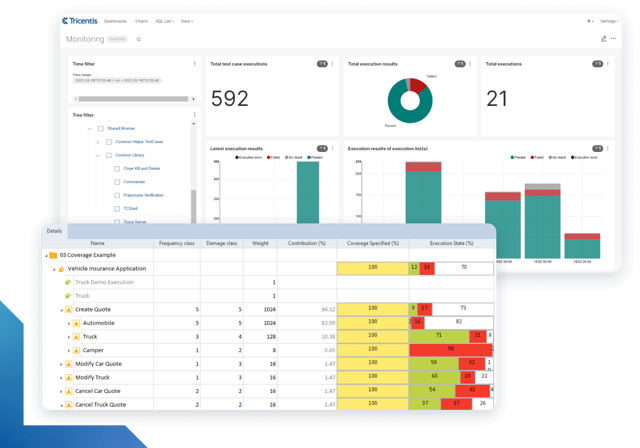
Learn more about intelligent test automation and how an AI-powered testing tool can optimize enterprise testing.
Learn more about intelligent test automation and how an AI-powered testing tool can optimize enterprise testing.