

Conference Highlights
Salesforce testing 101 with Tricentis
Watch this on-demand discovery session from Accelerate Virtual to...
What is Salesforce Lightning? Learn how Salesforce’s modern UI and Lightning Platform improve productivity, automation, and user experience.

Customer relationship management (CRM) tools with old interfaces can be frustrating. Conventional ones have too many clicks, manual data entry, and inflexible layouts.
In the absence of modern tools, sales reps will spend more time navigating the software than conversing with customers. This reduces productivity, hinders user adoption, and restricts growth.
Salesforce Lightning Experience is a game changer because it’s a fast and productive interface with a modern, user-friendly interface. It allows sales teams to work smarter, not harder. According to Mike Rosenbaum, “Salesforce Lightning is the future of CRM, and it is here today.”
This post will cover Salesforce Lightning, what it does, how to use it, and some helpful advice for getting started.
Salesforce Lightning is a modern user interface and application framework that aims at enhancing the interaction between users and Salesforce, and the creation of applications in Salesforce.
This new platform replaces Salesforce Classic with its faster, cleaner, and easier user interface. It offers a component-based design, allowing users to view and customize various functional sections, like activity timelines and reports, on a single page.
Besides the user interface, Salesforce Lightning is also used to describe the entire Lightning Platform. This encompasses Lightning Web Components (LWC) that can be used by developers, as well as low-code and no-code tools (App Builder and Flow Builder) that can be used by administrators.
These tools help organizations create their own workflows, automate their business processes, and design unique user experiences without starting from scratch. Lightning also integrates closely with Salesforce analytics and AI systems, like Einstein, so users get insights and recommendations in their work streams.
Salesforce Lightning is the future of CRM, and it is here today.
Salesforce Lightning has the following key features:
Lightning has a clean, responsive, and component-based interface that replaces Salesforce Classic. Users can view records, activities, associated information, and insights in a single location on the active pages.
This is a drag-and-drop system that enables admins to develop and personalize record pages, home pages, and app pages without writing a single line of code.
LWC is a Salesforce standards-based system with a modern framework for building modern custom UI components with JavaScript, HTML, and CSS. It uses web standards to improve its performance, reusability, and maintainability.
Flow Builder allows companies to automate business processes through a low-code visual interface. It promotes workflows guided by users, automations in the background, and approvals, decreasing manual effort and implementing uniform business logic between teams.
Lightning presents Kanban views of objects, such as leads and opportunities, through which the users can visually control records by stages or statuses. This simplifies the pipeline management process and aids the teams in establishing bottlenecks or high-priority items.
Lightning can provide interactive dashboards, real-time data updates, and rich visualizations for reporting. Users can drill into data, filter it, and get insights without having to leave Salesforce.
Einstein AI links with Salesforce Lightning to offer recommendations, predictability, and automation.
Lightning is mobile-friendly and provides the same experience on desktop, tablet, and mobile with the Salesforce mobile app.
Here, we’ll compare the two based on the different components listed below.
Salesforce Lightning is an easy-to-use, productive, and visually rich component-based interface. However, Salesforce Classic has a less modern, page-based interface that frequently necessitates several clicks and reloads of pages.
Classic emphasizes server-side rendering more, and this can make it seem slower, especially with intricate workflows.
Lightning is also performance-optimized using client-side rendering and reusable elements that make interactions faster and workflows smoother. Classic emphasizes server-side rendering more, and this can make it seem slower, especially with intricate workflows.
Lightning makes use of Lightning Web Components (LWC) and Aura components, both created based on modern web standards. Salesforce Classic mostly relies on Visualforce, which is an older and less flexible framework that is not compatible with modern front-end development.
Lightning improves reporting using interactive dashboards, dynamic filters, and in-line editing of reports. Classic reporting is less dynamic and less interactive than Lightning.
There are considerable advantages associated with Salesforce Lightning.
It has transformed user experience and the development of applications on the Salesforce platform. The in-line editing, quick actions, and activity timelines help users accomplish tasks in less time.
Lightning App Builder and Flow Builder allow administrators to create customized pages and automate complicated business processes based on drag-and-drop interfaces.
You can easily reuse and scale application components later as business requirements increase, and built-in optimization guarantees the same performance regardless of the workload size and complexity.
Lightning works well with Salesforce reporting, Salesforce dashboards, and Einstein artificial intelligence, and it brings real-time analytics, predictive insights, and recommendations directly into user applications.
Salesforce primarily designs new innovations with Lightning, which ensures long-term support and access to the newest features.
Start with an analysis of your current Salesforce environment. Determine what features, customizations, Visualforce pages, workflows, and integrations are already in place. This evaluation will make sure that your organization knows how the transition will affect things and prevent any unpleasant surprises.
Definitely show what your organization hopes to accomplish with Salesforce Lightning. Examples of goals can be sales productivity, automation, reporting, or a better mobile experience.
Always have a clean and well-structured data model—with profiles, permission sets, and sharing rules—before enabling Lightning. This will aid in avoiding missing information or difficulties in access by the users during the migration.
After making preparations, activate Lightning Experience in the Salesforce configuration. Customize the home pages, record pages, and app pages of various roles, including sales reps, managers, and service agents, with Lightning App Builder.
Use the leverage of Flow Builder to substitute or improve the current workflow and manual processes.
Roll out Lightning to a few users, like one sales department or section. Get usability, performance, and functionality feedback. This pilot stage will enable you to fine-tune settings and seal the gaps.
Conduct role-based training, quick reference, and in-app training to enable users to familiarize themselves with the new interface and features.
The success of users depends on user training. Conduct role-based training, quick reference, and in-app training to enable users to familiarize themselves with the new interface and features.
Communicate the value of Lightning to them in terms of the ease it can add to their day-to-day operations instead of explaining the technical changes only.
Salesforce Lightning is a future-proof and modern CRM method that’s more than just a visual upgrade.
Lightning can enable organizations to work more effectively and respond more quickly to change by integrating an intuitive user experience with powerful automation, reusable components, and strong community support.
With proper best practices implementation and a process of learning and iteration, Salesforce Lightning can be implemented as a strategic platform that yields long-term value, fosters user adoption, and places companies in a position to leverage further Salesforce innovation.
Learn more about Salesforce testing with Tricentis by requesting a demo.
This post was written by Mercy Kibet. Mercy is a full-stack developer with a knack for learning and writing about new and intriguing tech stacks.
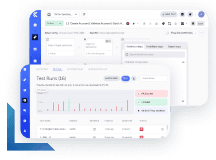
Learn more about how enterprise Salesforce testing at Agile speed enables test creation and management at any skill level.
Learn more about how enterprise Salesforce testing at Agile speed enables test creation and management at any skill level.