

Conference Highlights
A scalable, more continuous future for performance and DevOps
You’ll learn, among other things, the key steps to continuous...
Learn what cross-platform testing is, why it matters, and how QA teams use it to ensure apps work consistently across devices.

One of the more important parts of end-to-end software testing is evaluating how well your software runs on target platforms. For some software, there’s only one defined target platform. If you’re writing an application that’ll only run on the latest version of Windows, you only have one defined target platform.
But for many types of software, that’s not true. There’s an expectation by the developers and the users that software will work flawlessly on any number of different hardware and operating system combinations.
If that’s your software, you need cross-platform testing to make sure that you’re meeting the expectations of your users. Let’s talk about what cross-platform testing is, and how it might apply to you.
Cross-platform testing is the process of ensuring that software works on every one of that software’s supported hardware configurations and operating system configurations.
When we think about cross-platform testing, it’s important to define the concept broadly. We want to test every type of “platform,” broadly construed, that our operating system supports. This broad definition reminds us that there are nuances to different software platforms that aren’t immediately apparent.
If you’re writing a mobile-phone-native application, it isn’t enough to simply ensure that your software runs on Android and iOS. You need to correctly define your supported versions of Android and iOS, as well as supported hardware. Then, you need to ensure that all crucial software applications work within expected tolerances.
Tim Berners-Lee once said, “The Web does not just connect machines, it connects people.” The core goal of cross-platform testing is to ensure that those connection remains stable across different OS, devices and environments. The devil is often in the details when it comes to supporting applications across software platforms. That’s why we run cross-platform tests.
There are a lot of relatable examples of cross-platform testing. We already talked about mobile applications, and those are probably some of the simplest to imagine. Due to the extensiveness of mobile device fragmentation, even applications that only target one of the major mobile operating systems still need to think about cross-platform testing.
The reason for that is simple: the underlying operating system for your mobile phone changes how software behaves. And mobile operating systems update so frequently that there’s no reasonable way for you to only target the latest version.
Update patterns are much too slow. Testing these applications often involves fully running all end-to-end tests for the entire application on different simulated or physical hardware devices.
It’s not just mobile applications that require cross-browser testing. Desktop and server-based hardware applications also need cross-platform testing. Consider an application like Visual Studio Code. The goal of Visual Studio Code is to provide a text editor and coding environment that works consistently across a very wide combination of hardware and software.
The more places that it works, the more benefit it brings to users. Cross-platform testing of an application like Visual Studio Code may not involve fully running all end-to-end tests. Instead, it might simply involve testing operations that interact directly with the underlying operating system, like file persistence and loading.
In both of these cases, the need for cross-platform testing is the same: the underlying platforms differ, which means that they must test behaviors to ensure a consistent experience for all their supported users.
Specifically, while cross-browser testing does involve testing a web application across different browsers, which are part of the underlying platform, it doesn’t usually involve testing across things like operating systems or hardware configurations.
This question comes up often. Generally speaking, the answer is that cross-browser testing is a little bit like a younger cousin of cross-platform testing. They don’t necessarily overlap, but they are related.
Specifically, while cross-browser testing does involve testing a web application across different browsers, which are part of the underlying platform, it doesn’t usually involve testing across things like operating systems or hardware configurations.
One way that this difference crops up is in situations where the underlying behaviors may not be supported within a specific operating system.
For instance, if you build a website that relies on a font that ships natively on macOS, but does not ship on Windows, you might find that your site’s visual behavior is inconsistent across platforms.
If your testing environment tests between Chrome, Firefox, and Safari but only on macOS, a cross-browser test wouldn’t turn up this shortcoming.
There are a lot of different ways that you can approach cross-platform testing. As we noted earlier, the ideal definition is to define “platform” extremely broadly and then test extensively. Depending on how extensive your automated testing capability is, that might not be realistic. So instead, you need to focus on the most important parts of your application to determine how you should go about cross-platform testing.
The first step of building out cross-platform tests is defining the boundaries that you are going to test. When you don’t have comprehensive end-to-end tests defined, you need to determine which parts of the application are the most important to test across platforms.
Generally, for these tests, you want to focus on things that aren’t core to your business logic. For most applications, business logic will run the same regardless of the underlying platform or operating system.
This isn’t always true, as AMD 3000 players of Destiny 2 can attest, but usually the things you want to test the most are operations that interact with the underlying operating system or hardware. That means things like file operations or networking logic.
Another core part of the cross-platform testing process is understanding what kind of experience you want to provide to your users. That might be a simple definition. For instance, the ability to save and load files is sufficient.
But for more complicated applications, there might be more substantial concerns. If you’re shipping a mobile application, and a change to the app notification API means that customers on older operating systems don’t receive any push notifications, that would be a good reason to fail a cross-platform test.
Or it might not! The key part is that you define what an acceptable experience is for your users on different platforms.
One consequence of cross-platform testing is that not everything will be the same. An equivalent experience might not be the same thing as an identical experience. Your application might interact with the Apple iCloud Keychain natively, and that might be great for your users on Apple platforms.
On Windows or Android, the options might not be as comprehensive, and your tests need to take that into account. Just because the software doesn’t behave identically doesn’t mean the test failed.
When you first think about cross-platform testing, it’s likely that you’ll be performing manual tests. That’s better than doing no cross-platform testing, but it’s probably not where you want your process to end up.
Manual testing provides value, but it’s necessarily a time-intensive process. When you ship software regularly, you need to automate your tests as much as possible to prevent regressions.
Before we finish, we should talk quickly about sandboxing. Many applications today are adopting tools like Docker to “sandbox” application runtimes. Effectively, these tools abstract away the underlying hardware and operating system.
For things like server applications, Docker gives you the option of always running your application on the exact same underlying operating system, eliminating the need for cross-platform testing.
This is a terrific tool, and if your application allows you to “sandbox” execution so that you can ensure you’re always running on a supported operating system, that’s a terrific benefit.
That doesn’t eliminate the need for automated end-to-end testing, but it does help constrain your cross-platform testing boundaries substantially.
Test automation is a core part of ensuring that your cross-platform testing plan goes smoothly.
Test automation is a core part of ensuring that your cross-platform testing plan goes smoothly. If you’re looking to test your mobile applications across platforms, Tricentis Tosca has what you need to get started today.
If you’re interested in cross-platform testing for non-mobile applications, drop us a line. We’d be happy to help you get started on your testing journey, and we have every tool you’ll need to automate those tests for your team.
This post was written by Eric Boersma. Eric is a software developer and development manager who’s done everything from IT security in pharmaceuticals to writing intelligence software for the US government to building international development teams for non-profits. He loves to talk about the things he’s learned along the way, and he enjoys listening to and learning from others as well.
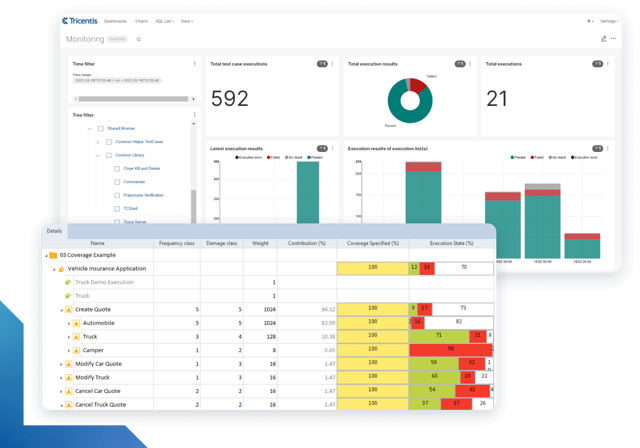
Learn more about intelligent test automation and how an AI-powered testing tool can optimize enterprise testing.
Learn more about intelligent test automation and how an AI-powered testing tool can optimize enterprise testing.