

Conference Highlights
A Seamless Device Testing Experience with Tricentis and HeadSpin
Explore how you can leverage Tricentis Tosca and HeadSpin’s...
Learn how no-code test automation empowers teams to build reliable tests faster—without writing code and how Tricentis helps.

Code-based test automation has been the traditional method for conducting automated testing. It involves using code to create automated test scripts, which is a challenge for people with no programming experience. With this approach, you’ll need a skilled professional who spends more time writing code and might also make mistakes in the process.
However, no-code test automation eliminates the need for someone with coding skills to carry out tests. With no-code test automation, both technical and non-technical users can perform testing.
This guide will provide you with an understanding of no-code test automation. You’ll learn how this compares with traditional automation testing, its benefits, how it works, and how it can be implemented into your workflow.
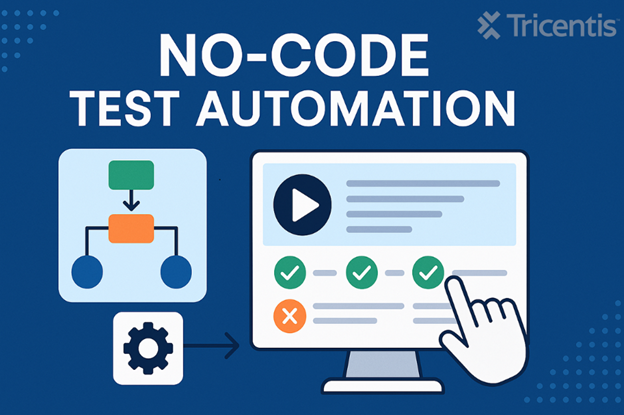
No-code test automation is a software testing approach that uses tools to carry out testing without the need to write any code. It eliminates the stress and complexity of manually writing code or creating test scripts.
This type of testing approach is ideal for non-technical users, especially those who cannot write code or use a specific framework for building test scripts. With the no-code approach, tests are built using a model-based approach, record-and-playback functionality, or drag-and-drop actions.
These tools are designed to simplify the testing process, reduce the dependency on developers, and make testing faster.
No-code test automation works by using tools with their built-in features to easily design, run, and manage tests without coding. These tools simplify the entire testing process so both technical and non-technical users can contribute. Here’s how it works:
In no-code tools, test creation usually involves drag-and-drop interfaces, record-and-playback actions, or simple visual workflows. Instead of writing test scripts, you can launch the no-code tool and use it to interact with the application you want to test. This works by navigating through your application while the tool records your actions in the background. The tool then translates these actions into a test flow.
Once a test is created, it can be executed with a single click. The no-code tool simulates the user interactions defined by the test flow, like clicking buttons, filling out forms, or navigating pages. Many no-code platforms also support cross-browser or cross-device testing to ensure the application functions properly in different environments.
Maintaining tests is easy with no-code tools. When there’s a change in your application, you can update the tests by simply re-recording actions or adjusting visual blocks. Some tools also include self-healing capabilities, which automatically resolve minor issues when there’s a change in the application. This saves time and effort.
One of the main goals of automation in software testing is risk reduction. As Frank DeGeorge, CTO for Impact Networking, says, “The purpose of automated testing is to reduce the risk of failure of your application.” No-code automation supports this goal by making testing more accessible, consistent, and error-free. Here are some key benefits of no-code test automation:
This is one of the biggest advantages of no-code test automation. You don’t need to write any code. It makes things easier for non-technical users like QA specialists, business analysts, or product managers. They can create and run tests without depending on developers.
Creating and maintaining tests is much faster compared to traditional scripting. This is made possible through the drag-and-drop interfaces, reusable components, and record-and-playback features. As Torbjorn Gyllebring, CTO at Hubert, says, “Automation is a bit like a cheat code for software testing: using this hack, you can practice agile testing without having to do it all manually.”
No-code tools are designed with simplicity in mind. Their interfaces are usually simple and don’t require any prior experience with automation frameworks, which reduces the learning curve for new users.
Many no-code tools include built-in features for managing test data, like data binding, templates, or integration with spreadsheets, making it easy to test different scenarios without manually setting up everything.
No-code test automation can grow with your team. As your application expands, you can quickly build more tests, reuse components, and run tests in parallel across multiple devices or environments without needing to write more code.
Both no-code and traditional (code-based) test automation help improve testing speed and accuracy, but they work in different ways. While their names give you an idea of how each one works, this section breaks down the differences to give you a clearer understanding.
| Category | No-Code Test Automation | Traditional Test Automation |
| Ease of Use | Simple drag-and-drop or record actions | Requires programming and test scripting |
| Learning Curve | Easy for non-technical users | More complex; good for technical testers |
| Customization | Basic customization options | Full control over every aspect of the test |
| Maintenance | Easier to maintain with visual workflows and auto-healing | Manual updates are needed when changes occur |
| Speed | Faster test creation with fewer set-up steps | Slower due to manual scripting |
| Collaboration | Great for business and QA teams to work together | Done by developers and testers with programming skills |
| Security | Less control over how things work internally | Full control, and better for secure environments |
Implementing no-code test automation is way easier than traditional testing methods. You don’t have to do any complex set up or write any code. As Eliyahu M. Goldratt once stated, “Automation is good, as long as you know exactly where to place the machine.”
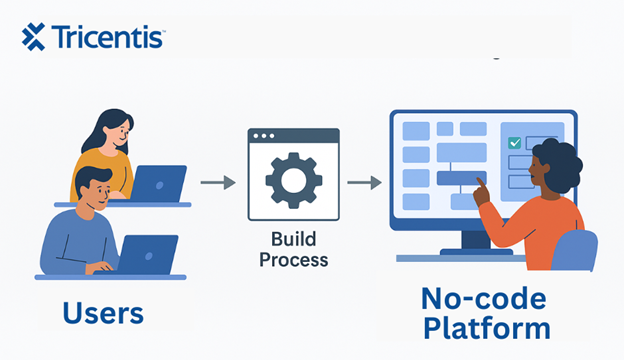
Here’s a general way to start using no-code automation tools for testing in your workflow:
No-code test automation also has some limitations that you should be aware of before implementing. Here are a few of them:
No-code test automation can be applied to various aspects of testing due to its flexibility. Below are some of the common use cases where no-code automation fits in:
Visual testing ensures your application looks good on different devices and browsers. With no-code tools, you can easily create tests that check the UI of your application, such as layout and fonts.
Regression testing ensures that new updates or features don’t break existing functionality. No-code test automation makes it easier to run repeated tests quickly and consistently. This helps you detect issues on time.
Functional testing focuses on verifying if the core features of your application are working as expected. No-code tools allow you to build functional tests that imitate real user actions (like clicking buttons and submitting forms) to ensure everything is working properly.
End-to-end testing ensures that your entire application works perfectly from start to finish. With no-code tools, you can easily set up end-to-end tests that simulate how users interact with your app, checking that all parts of your application interact seamlessly together.
No-code test automation is changing the way teams perform testing. It makes it easier for both technical and non-technical users to create, run, and maintain tests.
While it may not be the perfect fit for every scenario, it’s a powerful option for teams looking to simplify their testing process. If you’re exploring no-code testing solutions, Tricentis Tosca is a solid option designed to simplify testing for both technical and non-technical teams.
This post was written by Chosen Vincent. Chosen is a web developer and technical writer. He has proficient knowledge in JavaScript, ReactJS, NextJS, React Native, Node.js, and databases. Aside from coding, Vincent loves playing chess and discussing tech-related topics with other developers.
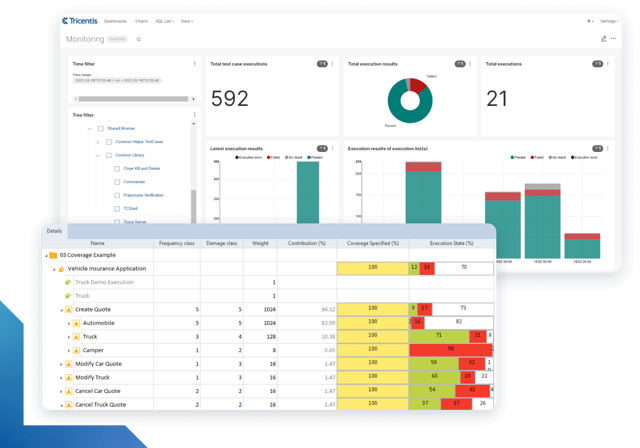
Learn more about intelligent test automation and how an AI-powered testing tool can optimize enterprise testing.
Learn more about intelligent test automation and how an AI-powered testing tool can optimize enterprise testing.