

eBooks & Guides
3 ways AI will reshape quality engineering teams
QE teams are rethinking how quality is delivered as testing becomes a...
Discover how AI is transforming performance testing with our complete guide. Explore benefits, challenges, real-world applications, and more.

Most teams I’ve talked to approach performance testing the same way: They build an application, run it, and then, just before going live or after big traffic hits them, they suddenly remember that performance matters.
That’s when things get panicked. That’s when someone finally schedules a performance test. It’s reactive, it’s stressful, and honestly, it’s usually too late to fix anything meaningful.
I spent years working that way before something clicked. A few months back, I started experimenting with AI tools like Amazon Q for performance testing, and I realized how backward my thinking had been.
Performance testing shouldn’t be something you do once before launch. It’s something you should do continuously, with every change, across your entire development cycle. And with AI now making this so much more accessible, there’s really no excuse to delay it anymore.
Let’s start with the basics. Performance testing, at its core, is about understanding how your system behaves under load. Whether it stays fast, stays stable, and can actually handle the number of users or requests you expect.
Traditional performance testing involves running load tests, stress tests, endurance tests, and analyzing metrics like response time, throughput, and resource utilization.
Where AI comes in is that it’s transforming every part of that process. Instead of manually designing test scenarios, AI can generate them intelligently. Instead of you analyzing thousands of data points to spot patterns, machine learning algorithms do it in seconds.
Also, instead of waiting weeks for performance test results to be interpreted and actioned, AI provides real-time analysis and recommendations.
The interesting part is that AI doesn’t replace performance testing. It makes performance testing actually practical and continuous. Think about it: The reason most teams skip frequent performance testing is that it’s tedious, requires expertise, and takes time to interpret. AI tackles all three of those problems.
Performance testing often happens in its own bubble, separate from functional testing and development
I was talking with another performance engineer recently, and we were swapping stories about all the performance testing we didn’t do. One project ran performance tests maybe once every six months.
Another waited until performance actually tanked in production. The reasons were always the same: too much setup, too much manual work, too hard to interpret results, and the expertise required was expensive and hard to find.
Traditional performance testing lives with real constraints. Setting up realistic test scenarios is hard because you need to understand how actual users behave, what load patterns look like, which transactions matter most, and so on.
Tools exist, sure, but they require extensive training and scripting. Most companies maintain brittle performance test scripts that break constantly as the application changes, then spend weeks fixing them rather than running tests.
There’s also the isolation problem. Performance testing often happens in its own bubble, separate from functional testing and development. Different teams use different tools, speak different languages about results, and it’s tough to share findings quickly.
By the time performance issues get prioritized and fixed, new code has already been deployed that might have the same problems.
And then there’s the expertise gap. Performance engineers are rarer than regular developers, and their skills command premium salaries. Not every team has access to that kind of expertise. So performance testing becomes something only big companies do, when really, every application cares about how fast it is.
Here’s where things get interesting. AI is solving all of these pain points at once. First, it’s making performance testing accessible to people who aren’t performance testing specialists.
When I was playing with Amazon Q, I was honestly amazed. I could ask it to help me understand what load patterns might impact my application, and it generated reasonable scenarios.
I could paste in performance test results that looked like nonsense to me, and it would surface the real bottlenecks and explain what was happening. It wasn’t always perfect, but it got me from “I don’t know how to read this” to “I can see the problem” in minutes instead of hours.
AI-powered tools analyze massive datasets in real time, finding patterns that humans would miss. For instance, sudden spikes in latency, resource bottlenecks appearing under specific conditions, and dependencies that fail under load.
Machine learning models can predict where performance problems might emerge based on how your system behaved in the past. This shifts you from reactive to proactive.
The real win is automation at scale. AI can generate test scenarios automatically, maintain test scripts as your application evolves, adapt test strategies based on what previous tests revealed, and then interpret results without waiting for a human expert. Some of the best tools integrate directly into CI/CD pipelines, running performance tests with every commit.
AI doesn’t get tired, doesn’t make assumptions, and catches subtle performance degradations that human testers miss
The practical benefits are pretty clear once you start integrating AI into performance testing. Cost drops significantly. Automating what used to be manual work, plus needing fewer specialized experts, means performance testing becomes something even smaller teams can sustain.
Early detection catches performance regressions the moment they happen, before they hit production. This prevents the nightmare scenario where users discover your performance problem before you do.
Speed matters. Traditional load testing cycles took days. AI-accelerated testing can give you results in hours or even minutes. This means you can test more frequently. Ideally, with every change. When Netflix runs over 1,000 performance experiments daily, that’s only possible because automation and AI handle the heavy lifting.
Accuracy improves too. AI doesn’t get tired, doesn’t make assumptions, and catches subtle performance degradations that human testers miss. The interpretation also becomes clearer. Instead of raw numbers, AI surfaces what actually matters for your business.
Performance engineer Scott Barber, a real veteran in this space, said something that sticks with me: “Only conducting performance testing at the conclusion of system or functional testing is like conducting a diagnostic blood test on a patient who is already dead.”
What he’s pointing to is that waiting to test performance late is just too risky. AI helps you avoid that trap by making frequent testing practical.
In practice, AI in performance testing shows up in several ways. Load test generation becomes dynamic. Instead of hardcoding specific user scenarios, AI generates diverse, realistic ones based on your application architecture and historical data.
Test maintenance becomes automated, so scripts adapt automatically when your code changes instead of needing manual rework.
Analysis shifts from “run the test, wait for reports” to real-time dashboards with AI-powered insights showing you exactly what’s degrading performance and why. Predictive analysis identifies bottlenecks before they happen, letting you optimize proactively.
Many organizations now integrate performance testing right into CI/CD pipelines, running tests automatically on every build. This shift-left approach catches issues when they’re easy and cheap to fix, not after they’ve shipped.
AI isn’t a magic wand though. It’s really good at processing data and automating routine work, but it’s not better at creative thinking or strategic decisions. False positives and negatives still happen. Especially if your training data doesn’t capture the edge cases you care about.
Interpreting nuanced results still benefits from human expertise. An AI might flag something as suspicious, but a performance engineer understands the context and knows whether it actually matters. Complex scenarios involving multiple systems interacting in unexpected ways still sometimes need human insight.
And there’s a learning curve. Using AI tools well requires understanding what questions to ask, how to interpret recommendations, and when to override them. It’s not “set it and forget it.”
If you’re convinced but unsure how to begin, start small. Measure your current performance and document what matters. For example, response times, throughput, and resource utilization. Then introduce performance testing into your development cycle gradually, running simple tests on key user journeys.
Tools like Tricentis NeoLoad make this practical by handling load generation, analysis, and CI/CD integration without requiring extension-scripting expertise. The platform supports both simple tests and complex scenarios, and it integrates with the rest of your testing infrastructure.
Focus on frequent testing rather than perfect testing. Test more often with smaller test runs rather than rarely with massive ones. Automate as much as possible so testing becomes part of your regular workflow, not a special event.
Use AI to interpret results and suggest optimizations. Share findings widely across your team so performance becomes everyone’s concern, not just specialists.
Testing performance automatically with every build, learning from results, and catching regressions before anyone downloads your app
Performance testing isn’t evolving toward “do it once and ship it.” It’s evolving toward continuous validation. Testing performance automatically with every build, learning from results, and catching regressions before anyone downloads your app. AI makes that continuous approach practical and economical.
The teams that will outcompete others aren’t the ones that test performance perfectly once. They’re the ones that test it constantly and catch performance regressions the moment they appear. With AI handling the automation and analysis, that’s finally achievable for teams of any size.
If you haven’t started integrating AI into your performance testing workflow, it’s worth exploring. Your users will notice faster apps, your team will spend less time fighting performance fires, and your business will avoid the reputation damage of slow experiences. For most teams, that’s worth the effort to make the shift.
If you want to learn how to put this into practice, check out how NeoLoad handles continuous performance testing. The platform shows how AI-assisted performance testing actually integrates into your delivery pipeline, making frequent, intelligent performance validation something every team can do.
This post was written by David Snatch. David is a cloud architect focused on implementing secure continuous delivery pipelines using Terraform, Kubernetes, and any other awesome tech that helps customers deliver results.
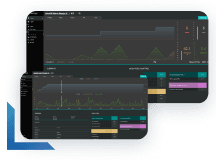
Learn more about continuous performance testing and how to deliver performance at scale.
Learn more about continuous performance testing and how to deliver performance at scale.