
Skip to content

Learn

What is continuous integration? CI explained

Learn what continuous integration is, how CI pipelines work, and why teams use it to build, test, and release software faster.

continuous integration

TL;DR

  • Continuous integration (CI) involves frequent code merges with automated builds and tests.
  • It prevents integration issues, reduces bugs, and speeds up feedback loops.
  • CI improves collaboration, code quality, and deployment readiness.
  • Challenges include slow builds, test delays, and cultural adoption.
  • Automated testing is central to effective CI pipelines.

Continuous integration can help accelerate development timelines while reducing the cost of finding and fixing defects within an application.

Continuous integration, also known as CI, is a development best practice where developers frequently integrate code they’re writing into a shared repository. This integration happens at least once a day but, ideally, it happens several times a day.

This allows their code to be continuously verified and tested as it is integrated with the main codebase. That happens via what’s called a CI “pipeline”, i.e. a sequence of automated tasks that build and test the code and carry out a series of quality validations.

If, at any step, the code fails to meet the expectations set by these verifications, the whole process stops right there.

As organizations seek to produce better software faster, continuous integration can help accelerate development timelines while reducing the cost of finding and fixing defects within an application.

This post is an introduction to CI. You’ll learn, in more detail, what CI is, why it’s important, how it works, what its benefits are, what its drawbacks are, how it relates to testing, and how to incorporate it into your own organization. Let’s get started.

Continuous integration requires developers to integrate their work with the main version of the codebase, known as the trunk, regularly, often multiple times per day.

What is continuous integration?

Continuous integration is a best practice in Agile and DevOps development methodologies.

The objective of continuous integration is to prevent integration nightmares late in a project, which can occur when multiple developers work on code independently and wait to merge their work with other developers until they’ve completed work on their own components.

Continuous integration requires developers to integrate their work with the main version of the codebase, known as the trunk, regularly, often multiple times per day. Automated builds and automated tests validate the changes to code, identifying bugs or regression issues.

By integrating code regularly, CI enables development teams to fix bugs and integration issues earlier in the process, when remediation is easier and less costly.

The practice is closely associated with Extreme Programming (XP) and was popularized as a code pillar of modern DevOps.

Today, CI is considered table stakes for any professional software development team, in order to help build a reliable and efficient pipeline that can smoothly transition code from one stage to the next—and then finally into production.

Why is continuous integration needed?

Before continuous integration became a standard practice, development teams typically worked in isolation for extended periods (sometimes weeks or months) before merging their code together.

This approach, sometimes called “big bang integration,” routinely led to painful merge conflicts, unexpected bugs, and costly project delays. The longer teams waited to integrate, the more divergent their code became, and the more expensive and disruptive the eventual merge turned out to be.

As software teams have grown larger and release cycles have shortened, the complexity of coordinating code across dozens or even hundreds of contributors has increased dramatically. CI addresses this by making integration a routine, daily activity rather than a high-stakes event.

“The goal of CI is to make integration a non-event. Something so routine and low-risk that it’s barely worth noticing.” 

Jez Humble, co-author of Continuous Delivery

Modern software development also demands faster feedback loops. Users expect frequent updates, and businesses need to respond quickly to competitive pressures. CI provides the infrastructure to support that speed without sacrificing stability.

Rather than discovering that two months of work are incompatible on the eve of a release, or that one engineer introduced a bug in another engineer’s work, teams using CI surface those conflicts within hours, when they’re far cheaper and less stressful to resolve.

As David Farley, co-author of Continuous Delivery, said, “The earlier you catch defects, the cheaper they are to fix.”

How does continuous integration work?

At a high level, the CI process follows a repeatable sequence every time a developer pushes code changes to the shared repository:

  1. A developer commits code to the shared repository (e.g., GitHub, GitLab, or Bitbucket).
  2. A CI server detects the change and automatically triggers a build pipeline.
  3. The code is compiled (if applicable) and assembled into a build artifact.
  4. Automated tests run, such as unit tests, integration tests, and other validations that are executed against the new code.
  5. Results are reported back to the developer immediately. If something fails, the developer is notified so they can fix it before moving on.
  6. On success, the artifact may be passed to the next stage of the pipeline, such as continuous delivery or deployment.

The speed of this feedback loop is critical. A CI pipeline that takes hours to run defeats much of the purpose. Most teams aim to keep their full pipeline under 10 minutes.

Benefits of continuous integration

Continuous integration practices provide development teams with several critical advantages.
fewer merge conflicts

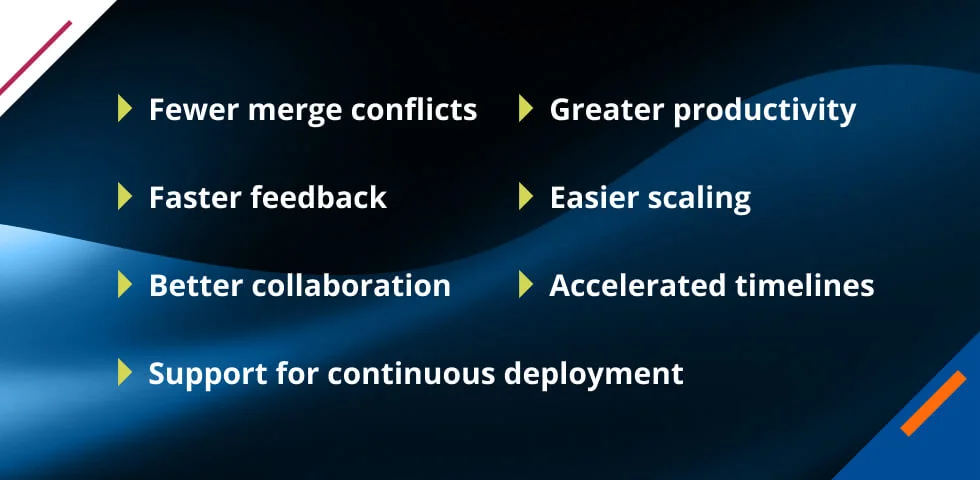
1. Fewer merge conflicts

As developers working on different aspects of an application merge their code together, there are inevitably conflicts to be worked out.

Continuous integration allows these conflicts to be resolved on a daily basis, minimizing the time, complexity, and cost of this task. When conflicts do arise, they’re smaller and easier to reason about because the differences between the branches are minimal.

2. Faster feedback

Continuous integration provides developers with quick feedback on the code they’re writing, making it easier to find and fix errors. Instead of discovering a bug days or weeks after it was introduced, developers are notified within minutes of a failing build.

3. Better collaboration

Because it enables developers to constantly work with the latest codebase, continuous integration significantly minimizes the risk of issues in complicated software applications.

Additionally, changes to an application’s backend are immediately available for front-end developers, mitigating a perennial challenge in constructing large applications.

4. Support for continuous deployment

Continuous integration makes it possible for development teams to achieve continuous deployment, where an application can be made available to the customer at any time. Without CI as a foundation, reliably automating the deployment process is significantly harder.

5. Greater productivity

Continuous integration helps developers be more productive by freeing them from manual tasks and encouraging practices that help minimize the number of bugs and errors in their coding. Less time spent debugging integration issues means more time shipping features.

6. Easier scaling

CI allows organizations to more easily scale the size of their development team, codebase, and infrastructure. Onboarding new developers becomes smoother because the automated pipeline enforces consistency and catches mistakes early.

7. Accelerated timelines

CI enables development teams to deliver updates to customers with greater speed and frequency. Shorter feedback loops mean faster iteration, and faster iteration means faster delivery.

8. Improved code quality

Because every change is automatically tested, teams maintain a higher baseline level of code quality. Issues that might otherwise slip through manual review are caught by the pipeline before they can affect end users.

The importance of continuous integration

The impact of CI extends beyond individual developer productivity—it shapes the culture of an entire software organization.

Teams that practice CI tend to ship more reliable software, experience fewer late-stage surprises, and have greater confidence when deploying to production.

Research from the 2021 Accelerate State of DevOps Report found that high-performing engineering teams are significantly more likely to practice CI than their lower-performing counterparts.

These teams deploy more frequently, recover from failures faster, and have lower change failure rates. In a competitive landscape where software quality and speed of delivery can be decisive differentiators, CI is one of the highest-leverage practices a development organization can adopt.

As software systems become increasingly distributed (microservices, cloud infrastructure, and cross-functional teams), the coordination challenges that CI was designed to solve only grow more acute. CI isn’t just a nice-to-have; for modern software development at scale, it’s essential.

The challenges of continuous Integration

It’s not all a bed of roses when it comes to CI. There are also important challenges you might face when attempting to implement this best practice at your organization. Here are some of the most common ones:

Teams often need to invest in faster build hardware, caching strategies, or incremental builds to keep pipelines fast.

1. Slow build times

Depending on the nature of your project and the size of your repository, you could have long build times, which can discourage developers from merging their code frequently. Teams often need to invest in faster build hardware, caching strategies, or incremental builds to keep pipelines fast.

2. Slow test times

Your CI pipeline should have a comprehensive suite of tests that run on each build. Ensuring those tests run as quickly as possible is a necessity and a big engineering challenge.

Techniques like parallelizing tests or running only the tests affected by a given change can help, but require careful setup.

3. Branching workflow

It’s essential to adopt a branching workflow that can encourage and enable developers to merge their code as often as possible, while protecting the stability of the application.

Teams need to agree on conventions, such as trunk-based development or short-lived feature branches, and stick to them consistently.

4. Consistent environments

If your tests run on an environment that is configured differently from the environment developers use to write and run their code on, you’ll face the famous “it works on my machine” problem. Containerization tools like Docker can help standardize environments across the pipeline.

5. Cultural adoption

Implementing CI is as much a human challenge as a technical one. Developers accustomed to long integration cycles may resist the discipline required for frequent commits. Getting buy-in across the team and establishing shared norms is critical for success.

6. Maintaining test quality

A CI pipeline is only as effective as the tests that run within it. Flaky tests (those that produce inconsistent results) can erode trust in the pipeline and lead developers to ignore failures. Keeping your test suite healthy requires ongoing attention.

The list above is far from being exhaustive, but it highlights some of the main challenges with CI. Solving these—and other—challenges requires a mix of technical solutions and team conventions, involving the whole software development team.

For example, reducing build times requires enhancing your infrastructure, while branching workflow is more of a social and conventions challenge.

The role of testing in continuous integration

Automated testing is a core feature of continuous integration. The ability to regularly test code for small errors is an integral part of the CI process. Without automated testing, CI amounts to little more than an automated build.

There are several key types of tests that are common to continuous integration.

  1. Unit tests validate the behavior of individual functions or bits of code. They are the fastest to run and form the backbone of most CI pipelines.
  2. Integration tests ensure that multiple components work correctly together and that components integrate as required with other services.
  3. Acceptance tests ensure that software meets the requirements of specific business cases.
  4. Smoke tests are designed to test the minimal functionality of the system and ensure that any fundamental issues are identified.
  5. Regression tests determine whether any new code changes result in loss of functionality in the software.
  6. UI tests make sure that an application works correctly from a user’s perspective.

Not all tests need to run at every stage of the pipeline. A common pattern is to run fast unit tests on every commit, while slower integration or UI tests run on a scheduled basis or before merging into the main branch. This keeps the pipeline fast while maintaining thorough coverage.

Managing testing in the CI process requires superior test management and test automation tools.

Have a comprehensive suite of automated tests that run on each build.

Continuous integration best practices

Here’s a non-exhaustive list of CI best practices:

  1. Use automated tests. Have a comprehensive suite of automated tests that run on each build.
  2. Optimize build and test times. Ensure build and test times aren’t too long. A good rule of thumb is that a CI build shouldn’t take longer than 10 minutes.
  3. Avoid long-lived branches. Branches that live for many days or even weeks make integration harder.
  4. Run CI verifications before PR is merged. If you do use a workflow based on pull requests, ensure the branch is built and tested before the PR is merged; that way, you keep the main branch as stable as possible.
  5. Consider using feature flags. A consequence of ditching long-lived branches is that developers often must merge incomplete features. Consider hiding such features behind a feature flag, so that they can be activated later.
  6. Don’t sit on broken builds. Ideally, you should never have a broken build on the main. But if it does happen, your top priority should be to fix the build ASAP.
  7. Commit frequently. The more often developers integrate their work, the smaller and more manageable each integration becomes. Encourage a culture of small, frequent commits over large, infrequent ones.
  8. Make the build self-testing. Every build should include running the full test suite automatically. A build that compiles without errors but fails tests is still a broken build.

Integration, delivery, and deployment: What is the difference?

You might have heard or read about CI/CD. You now know what continuous integration (CI) is, but what about CD? CD can be either continuous delivery or continuous deployment. Let’s quickly review the differences between them, and how they relate to CI.

Continuous delivery is the logical next step after successfully implementing continuous integration. It refers to having your code ready to be deployable after each CI build; the pipeline produces a deployable artifact, but a human still makes the final call on when to release.

So, if your application is published as a Docker container, the continuous delivery process would have the image ready to go. If your application is a Windows desktop app that is distributed via an installer, then this step would ensure the installer is created and ready to be sent to its destination.

With continuous delivery, you have everything ready for the deployment to happen, but the final trigger needs human intervention. What if you wanted to automate the entire process?

Continuous deployment takes automation one step further. After each successful build, the application is deployed directly to production—or to a production-like QA environment—without any manual intervention required.

Continuous deployment, thus, represents the highest maturity level you can achieve regarding deployment automation.

Continuous Integration (CI)Continuous DeliveryContinuous Deployment
GoalIntegrate and validate code frequentlyEnsure code is always in a deployable stateAutomatically release every successful build to production
Automation scopeBuild + testBuild + test + packageBuild + test + package + deploy
Human approval required?NoYes (for release)No
Typical release frequencyMany commits per day (internal)On demandAfter every successful build
Maturity levelFoundationIntermediateAdvanced

Getting started with continuous integration

If your team is new to CI, adoption doesn’t have to be all-or-nothing. Here are a few practical tips that can help get you started with continuous integration today.

  1. Choose a CI tool. Popular options include GitHub Actions, GitLab CI/CD, Jenkins, CircleCI, and TeamCity. Many offer free tiers for small teams or open-source projects.
  2. Start with a simple pipeline. Even a pipeline that just compiles your code and runs a handful of unit tests is far better than no pipeline at all. Start small and expand from there.
  3. Adopt a branching strategy. Trunk-based development (where all developers commit directly to the main branch or use very short-lived feature branches) is widely recommended for teams practicing CI.
  4. Build out your test suite. CI is only as valuable as the tests that run within it. Invest in writing meaningful unit and integration tests as you grow your pipeline.
  5. Monitor and improve. Track key metrics like build duration, test pass rate, and frequency of broken builds. Use this data to identify bottlenecks and continuously improve the pipeline.

Get the whole team on board. CI is a team sport. Make sure everyone understands the “why” behind frequent commits, fast builds, and keeping the main branch green at all times.

Tricentis solutions for continuous integration

Tricentis is a software testing platform that offers a totally automated and fully codeless approach that’s intelligently driven by AI.

The Tricentis continuous testing platform addresses both Agile development and complex enterprise apps, speeding software delivery, reducing costs, improving quality, and accelerating cloud migration.

fewer merge conflicts

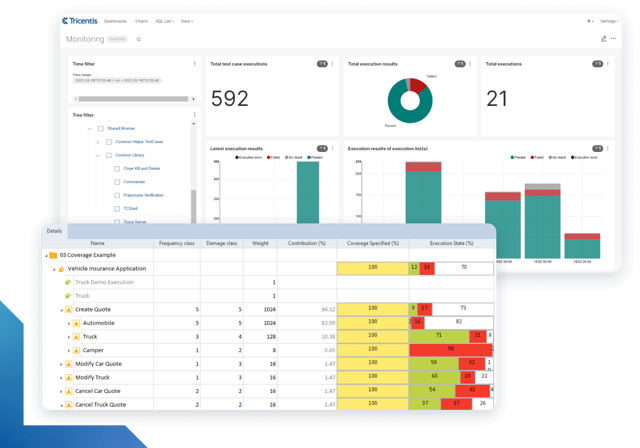
In today’s fast-paced software development landscape, ensuring quality without compromising speed is essential. Tricentis Tosca offers a cloud-based solution designed to streamline your testing process, from creation to execution.

Features of Tricentis Tosca

With its model-based testing approach and scalable cloud execution, teams can collaborate more effectively and release faster while maintaining exceptional quality.

  1. Cloud-based test automation: Utilize a cloud-native platform for simplified test creation, orchestration, and scalable test execution.
  2. An AI-powered, codeless approach to test automation: Using AI-driven technology, you can construct tests from mockups and execute them dynamically as your application evolves, extending automation to previously challenging scenarios like remote desktop environments.
  3. Model-based testing: Automate tests without coding expertise through model-based UI test automation.
  4. Cloud execution: Test faster and at scale with parallel test execution across distributed infrastructures, reducing setup time and infrastructure expenses.
  5. Playlists: Smartly prepare and orchestrate test case runs in the cloud, defining dependencies and orchestrating order, timing, and data carry-over.
  6. API simulation: Access complete and realistic test environments by simulating microservices, enabling early testing and complete application development.
  7. Desktop automation: Create test cases for web and desktop applications without on-premises software installation or maintenance.
  8. Regional data hosting: Choose a cloud region for data storage, minimizing latency and complying with local regulations.
  9. Zero footprint test authoring: Author and execute tests without coding, empowering business testers, subject matter experts, and test automation engineers.
  10. Cost reduction: Minimize costs associated with test maintenance, infrastructure setup, and tool maintenance through a cloud-based, no-code solution.
  11. Increased productivity: Boost QA team productivity and collaboration, avoid downtime, and speed up software releases with Tricentis Test Automation.

Experience the future of test automation with Tricentis Tosca. Start your journey towards faster, more reliable releases today!
Intelligent test automation software screens

Tricentis Tosca

Learn more about intelligent test automation and how an AI-powered testing tool can optimize enterprise testing.

Author:

Guest Contributors

Date: May. 16, 2026

FAQs

What is continuous integration?

In software development, continuous integration is a practice where developers frequently merge the changes they’ve made to code into a central code repository. Automated build and test tools validate the changes each time new code is added to the repository.

By integrating code changes daily or several times a day, continuous integration allows errors to be quickly detected and fixed, accelerating the development process.

What is continuous integration vs. continuous delivery?
+

Continuous integration is the practice of frequently integrating changes to code made by different developers in order to fix issues and solve problems earlier in the development process.

Continuous delivery is the practice of ensuring that applications are always ready to be deployed.

How is testing related to continuous integration?
+

Automated testing is an integral part of the continuous integration process.

The goal of continuous integration is to have developers commit code frequently, automatically testing it to ensure that code changes are working as expected and to find and address defects earlier in the process when they’re easier and less costly to fix.

What is meant by continuous integration?
+

Continuous integration (CI) is a software development practice where developers frequently merge their code changes into a shared central repository—typically multiple times per day.

Each merge triggers an automated pipeline that builds and tests the code, helping teams catch and fix bugs early in the development process rather than discovering them late, when they’re far more costly to fix.

What is CI/CD in simple terms?
+

CI/CD stands for continuous integration and continuous delivery (or continuous deployment).

In simple terms: CI means developers merge and test code constantly; CD means that tested code is always ready to release (continuous delivery) or is automatically pushed to users without manual approval (continuous deployment).

Together, they form a pipeline that moves code from a developer’s machine to production with speed and reliability.

What's the difference between CI and CD?
+

Continuous integration focuses on frequently merging and automatically testing code to catch issues early. Continuous delivery extends that by ensuring the application is always in a deployable state, with a human approving the final release.

Continuous deployment goes one step further by automatically deploying every successful build to production, with no human approval needed.

How do you use continuous integration?
+

To use CI, your team needs a version control system (like Git), a CI tool (like GitHub Actions, Jenkins, or CircleCI), and an automated test suite.

When a developer commits code, the CI tool automatically triggers a build and runs the tests. If everything passes, the code is ready to move forward; if something fails, the developer is notified immediately to address the issue.

You may also be interested in...

Featured image

Testing tools

Testing tools can support both manual and automated testing and...
Read more