

A detailed guide to globalization testing
Globalization testing refers to a testing that ensure that the...
In the simplest sense, integration testing ensures that individual software modules interact correctly when combined.

There’s a moment in every engineer’s life when they realize that passing all the unit tests doesn’t mean much once everything connects. You run the build, hit deploy, and suddenly two modules that were never supposed to argue start throwing errors at each other.
Somewhere, an API changed a field name. Somewhere else, a date format issue slipped through. And now, what looked solid in isolation has turned into a game of “who broke what.”
That’s the point where you introduce integration testing.
It’s not the flashiest part of QA, but it’s one of the most honest. It doesn’t care how elegant your code is; it just checks whether the things you built can work together without fighting.
In the simplest sense, integration testing ensures that individual software modules interact correctly when combined.
If unit testing is about making sure each musician in your orchestra knows their part, integration testing is the first rehearsal where everyone plays together. You already know each module works on its own; now you’re checking whether they can stay in tune and on rhythm.
Integration testing sits between unit testing and full system testing. It’s about boundaries—the flow of data between APIs, the handshake between services, or the assumptions one component makes about another.
Integration tests ensure that all these components can work together in harmony. Usually, unit testing would entail mocking certain dependencies like a queue, a database, or even API responses.
Integration testing ensures we test all these parts in action and ascertain that our application works flawlessly using all these moving components.
As Martin Fowler says, “The point of integration testing, as the name suggests, is to test whether many separately developed modules work together as expected.”
Modern software is less a single application and more a living ecosystem
Integration testing (sometimes also called system integration testing) is a different type of software testing than unit testing. Unit testing happens when you test a single unit of code. This is often a method or function you’re implementing. You give the function the necessary input and verify the outcome. If the unit has any dependencies, you’ll often mock or stub them. This ensures that you’re only testing the function’s code and nothing else.
Once you’ve implemented multiple units, there’s a system of units that depend on each other. You can now group these units together into coherent groups that represent a smaller piece of your software application. When you call these subsystems in tests, you’re executing integration tests. You want to verify that the units interact correctly with each other.
Modern software is less a single application and more a living ecosystem. APIs talk to microservices, microservices talk to databases, and those databases often rely on third-party connectors you don’t fully control. This web of dependencies can be powerful, as well as fragile.
Teams often find that a lot of their production defects come from integration issues. These aren’t gaps in the application logic. They’re mismatches—data formats, timing, expectations, the kind of subtle breakages that only show up when two components interact for real.
In one of my previous stints at a company, we’d often see issues in how “due date” was processed in different services, thus messing with our billing logic across different services. One service would store the data in UTC, while the other used a local format to store the date, causing conflicts.
Integration testing is the antidote. It helps you catch those silent disagreements before your users do. It ensures the interfaces still align, the contracts still hold, and the flow between systems still reflects what you intended.
Integration testing usually starts once you’ve cleared the unit test phase. You know your individual parts are sound, and now it’s time to wire them together.
There are several ways to do this. Smaller teams sometimes use the Big Bang approach, where they throw everything together and test the system as a whole. It’s quick to set up, but when something breaks, finding the culprit can turn into a guessing game.
A more deliberate method is incremental integration testing. You connect a few modules at a time, validate how they behave together, and then add more. This gradual build gives you visibility into where things start going wrong, which makes debugging easier.
There are also top-down and bottom-up approaches. In top-down, you begin with high-level workflows and use stubs to stand in for lower-level services that aren’t ready yet. Bottom-up flips the process: You start with foundational components, like databases or APIs, and use drivers to simulate the upper layers. Most real-world teams blend the two.
In a DevOps or CI/CD setup, this process becomes continuous. Each commit triggers not just unit tests, but integration tests that check the whole system’s pulse.
Tools like Tricentis Tosca are built for this—they automate tests across APIs, GUIs, and data layers, and they adapt automatically as the system changes. It’s the kind of invisible support that keeps teams moving fast without losing control.
When you design and run integration tests, you can choose between black box and white box testing strategies. The difference comes down to how much you know about the underlying implementation of the feature.
In black box testing, you design your tests by looking at the specifications or user requirements. You don’t look at the code, and you design your tests in such a way that the test doesn’t need to know about the inner workings of the system it’s testing. The idea is to provide the inputs to the system and verify the outcome.
When you choose white box testing, you can look at the code to find new test cases. Also, your tests can verify certain implementation details. For example, you can check if certain components were called in the correct way with the correct parameters.
As described, it’s important that you test the interaction of your components. Even if all your unit tests pass, the different functions in your code may be interacting incorrectly, causing bugs. Integration tests allow you to catch these issues early.
Unit tests alone can’t always cover all test cases. Sometimes, you’ll want or need two or more components of your code to test a scenario. Immediately, this makes them integration tests. Also, it can be useful to test integration of your code with pieces of code that are not under your control. Think about how your code makes database calls, for example, or HTTP calls to other services.
Finally, because integration tests use more of the real components of your software, there is less need for mocking or stubbing certain components. This makes it easier to refactor the underlying code without having to change the test.
There are different approaches to integration testing. Let’s look at some.
With big bang testing, you wire up almost all the developed software modules and test them as a whole. This means you test the entire software system or at least most of it. It’s almost end-to-end testing, and sometimes it basically is.
The advantage of big bang testing is that it saves time and is fairly easy to set up, especially for small systems. However, when you find errors, it can be difficult to track them down because they could originate in any part of the system.
The opposite of big bang testing is incremental testing. In an incremental testing process, you start by combining two components and stubbing out any other dependencies. You can then expand step by step and add more and more components as tests continue to pass.
The advantage is that an error can only be caused by a limited set of components, usually the component you just added to the test. However, you do need to add fake implementations of any dependencies that you’re not testing yet.
Stubs and drivers are part of incremental testing. If a component depends on another component that you won’t or can’t include in the test, you can stub it. This means creating a fake implementation that can return the response you want in your test case. Often, you can also verify if the stub was called in the correct way. There are libraries you can use to easily create stubs in most programming languages.
Drivers are fake implementations of components that call the components you’re trying to test. They’re used to call the lower-level modules you want to test. You need them if the calling component hasn’t been implemented yet or if you don’t want to include it in the test. In automated integration tests, this is usually the code of the test case.
The drivers are used in bottom-up integration testing. In this technique, you start at the bottom of your call chain and work your way up. You include components that call your lowest-level component. And you let drivers call those higher-level components. As you work your way up, you can replace your drivers with the real implementations.
The opposite of the bottom-up approach is top-down integration testing. In this case, you work the other way around. You start at the top of the call chain, like the API for example. Components below that top-most level are replaced by stubs. As you replace your stubs with real implementations, you work your way down until you have the whole system covered.
Sandwich testing (or hybrid integration testing) combines the bottom-up and top-down approaches. As such it works from the user interface or API down and from the lowest layer up, meeting in the middle. Sandwich testing uses both drivers and stubs.
How to Perform Integration Testing
Before you start integration testing, make sure that your team has an integration testing plan. Will the programmers write integration tests, or is that a task for testers? Which approach will you use (big bang, top down, bottom up, or sandwich)? Will you be writing specific test scenarios that remain fixed over time, or will you increase the test surface until you have (almost) the entire application under test?
You will also need to plan for the time required to design, write, and perform the integration tests. Integration testing can be a time-consuming undertaking.
If you need to integrate with external services, make sure you have approvals to set up a test environment. Also look at how this test environment can be reset to its initial state after running your tests. This ensures that a subsequent test run isn’t hindered by test data from previous runs.
Finally, look at which test tools you’ll be using. You should automate as much as possible, so look into tools like Cucumber, Selenium, or Waldo. If you’re looking to do integration testing with just a few components, unit testing tools like NUnit or JUnit can be sufficient too.
Now implement your chosen approach. Discover new test cases using the black box or white box techniques and write or design them in the integration testing tool you chose. Then add them to your software development process and run the tests regularly (i.e. run them on your continuous integration server).
Let’s take a step back and look at when you can start integration testing and when you can move on to a subsequent phase. These are the entry and exit criteria for integration testing.
As mentioned, integration testing is a form of testing that comes after unit testing. This doesn’t mean you can’t still write unit tests when you’re working on integration tests. But it makes little sense to craft integration tests if you don’t have any unit tests in place. Unit tests can cover a broader range of test cases in less time because they require less setup.
Another entry criterion is that you must have a test environment that enables you to perform the integration tests: databases, servers, external services, and specific hardware. And finally, it must be clear to developers how they will integrate the different components.
When can you move on to the next phase in testing? When your exit criteria are fulfilled. The next phase is often called system testing. It’s where we test the complete application as it will be used by end users.
Of course, one important exit criterion for integration testing is that your integration tests all pass. Any bugs you found during integration testing must now be fixed or added to a backlog if you decide it isn’t a blocking issue.
You can also assume that it’s necessary that all test scenarios have been executed. In case a certain functionality still is (partially) untested, you should create integration tests for these scenarios first.
The best integration testing isn’t about coverage numbers; it’s about intent. Here are a few patterns I’ve seen work consistently well across teams.
Don’t waste time over-testing low-impact connections
Focus your tests on integrations that, if broken, would cause real business pain—authentication, billing, core workflows. Don’t waste time over-testing low-impact connections.
A test that passes in staging but fails in production is worse than no test at all, because it erodes trust. Match your test data, schemas, and configurations as closely to production as you can.
Automation doesn’t mean auto-everything. Use it for stable, repeatable paths; leave space for exploratory checks where human judgment matters.
Model-based tools like Tosca make this balance easier by letting you build reusable components that adapt automatically instead of hard-coding each test.
Integration testing isn’t QA’s territory alone. Developers, testers, and product owners all need to understand what’s being tested and why. Platforms like Tricentis Test Management pull those threads together so everyone sees the same results, understands failures, and owns the fixes.
Every team that embraces integration testing eventually runs into the same obstacles. They’re not signs you’re doing it wrong—rather, they are just part of the landscape.
As systems scale, it’s easy to lose track of who depends on what. A single API change can break a dozen hidden connections. The answer isn’t to freeze development but to version and document everything.
Keep clear contracts between services. Use automated contract validation where possible. Tosca’s model-based design helps here by visualizing dependencies so you can see how a change ripples across the system before it happens.
Many integration failures aren’t code problems; they’re environment problems.
Many integration failures aren’t code problems; they’re environment problems. Someone updated a config in staging, but not in QA. A schema is a version behind. The test data doesn’t match production. Stable, production-like environments are non-negotiable.
Use configuration management to keep them consistent and automate data provisioning. Tricentis’s test data management tools make this less painful by generating realistic, stateful datasets on demand—the kind that mimic real user behavior instead of static mock data.
Integration tests can become brittle, especially in fast-moving projects. One small UI or API change, and you’re rewriting tests for hours. This is where self-healing tests, like the ones Tricentis offers, earn their keep.
They automatically detect changes in locators or data structures and adjust themselves. You still review the updates, but you’re not rebuilding from scratch every sprint.
Integration bugs often sit between teams, which means they can also fall between responsibilities. The frontend blames the backend, the backend blames the API gateway, and nobody fixes it fast enough.
Good integration testing demands clear ownership. When test results, requirements, and defects live in the same place, accountability becomes easier. Everyone sees what failed, why it failed, and who’s responsible for the fix.
Integration testing isn’t about perfection; it’s about trust. It’s how you know that when your services talk to each other, they’re speaking the same language. It’s the quiet work that keeps your releases smooth, your users happy, and your developers sane.
With platforms like Tricentis Tosca, integration testing doesn’t have to slow you down. Its model-based automation, self-healing tests, and built-in data management let teams keep pace with rapid change while staying confident in their systems. Combined with Tricentis Test Management, it becomes a living part of your CI/CD pipeline.
Thus, modern tools have changed the game. Integration testing today isn’t a chore; it’s the foundation of continuous quality.
This post was written by Deboshree Banerjee. Deboshree is a backend software engineer with a love for all things reading and writing. She finds distributed systems extremely fascinating and thus her love for technology never ceases.
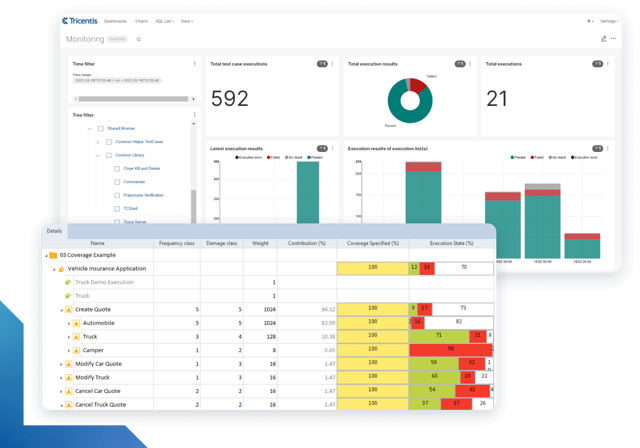
Learn more about intelligent test automation and how an AI-powered testing tool can optimize enterprise testing.
Learn more about intelligent test automation and how an AI-powered testing tool can optimize enterprise testing.