
TL;DR
- Acceptance criteria are agreed-upon requirements that a feature must meet before it can be marked as “Done” and shipped.
- The acceptance criteria are decided mutually between the product owner, dev team, and business stakeholders; however, the final say rests with the product owner.
- Effective criteria are specific, measurable, testable, and concise.
- The user story guides the who, what, and why of the functionality, while the acceptance criteria establish the how of the functionality.
- Aligned acceptance criteria help avoid rework, prevent scope creep, generate better estimates, and make life easier for all stakeholders.
Acceptance criteria are the set of requirements that a user story must fulfill in order to be deemed as done or complete by stakeholders.

Introduction
Software teams are under surging pressure to ship faster. With expectations from businesses soaring, the software industry continues to evolve at blistering speeds. Dev cycles complete on the order of weeks, and in some organizations, even days. Prior, it could be years.
One of the major shifts in software development is that it isn’t just restricted to the technically gifted (read: developers) any longer. Non-technical folks have entered the chat and are vibe-coding their way through workflows.
Platforms like Replit and Loveable are making development more description-based and visual. This is one of the drivers for why we are seeing such tremendous growth, with the software industry set to reach $125.45 billion by 2030, registering an annual growth of 20.3%.
With more low-code or no-code tools being introduced to the market, software development will continue to become more accessible to regular people. This acceleration and accessibility is a competitive advantage.
However, this speed without clarity brings a critical challenge: unclear and misunderstood requirements. The faster development moves, the more damage a misunderstood requirement can incur. As a result, it becomes more expensive to fix it.
Charles R Martin, former staff engineer at Sun Microsystems, puts it bluntly: “Requirements change. Every software engineering project will face this hard problem at some point.”
This is where acceptance criteria come into the picture, a simple yet powerful tool to combat ambiguity and align teams, ensuring that the resulting software meets real needs as per expectations.
In this post, we’ll explore topics such as: What is acceptance criteria? What is an example of acceptance criteria? Why is it important? And what are some best practices around it?
In software engineering, acceptance criteria is the set of requirements that a user story must fulfill in order to be deemed as done or complete by a product or service’s stakeholders.
What is acceptance criteria?
In software engineering, acceptance criteria are the set of requirements that a user story must fulfill in order to be deemed as done or complete by a product or service’s stakeholders.
Let’s understand this through this scenario. For instance, a warehouse operator might request a dashboard that displays all the trucks that checked in and checked out from a warehouse in the past 24 hours.
However, if you think about it, this level of detail on its own is insufficient. Put yourself in the developer’s shoes: How many users should the dashboard be able to manage? What should it look like? At what frequency should the data be updated? We’ll need more granular “acceptance criteria.”
While answering these questions, the finer details may then turn out to include:
- Dashboard should be able to handle 15 concurrent users
- Each user should have a view specific to the persona, and a mock-up of the specific view should be provided
- The dashboard should be password-protected
- The dashboard’s data should be refreshed every hour

Types of acceptance criteria
Having worked across a number of business units and organizations, I’ve noticed that no two teams follow the same exact blueprint for crafting acceptance criteria. Broadly, though, teams often use two approaches.
1. Scenario-driven (Given/When/Then)
This type is based on a three-part structure:
- Given: The from state
- When: The action a user takes
- Then: The expected outcome
Let’s understand this using our warehouse dashboard example above:
- Given that a warehouse supervisor is logged in, when they navigate to the dashboard, then they should be able to see a real-time view of all the trucks that have checked in or checked out in the last 24 hours.
- Given that a dispatcher attempts to log in with the wrong password five times, when they try again, then their account should be locked for 30 minutes, and an alert email should be triggered to the system administrator.
You’ll notice that this format particularly facilitates QA teams, as it leaves little ambiguity behind about what the system behavior should be.
2. Rule-based checklists
This works well for features where the requirements are pretty straightforward. The goal is to draw up a written pass/fail statement. The warehouse dashboard bullet list that we covered in the earlier section is a good example of such a list.
This type of acceptance criteria is easier and faster to write. A list-based approach makes the criteria much more “digestable” to senior leadership and non-technical business stakeholders.
Condensing the takeaways below:
| Scenario-based | Rule-based | |
| Ideal for | Reserved for complex user workflows. Complicated conditional logic | Simple features that can be built fairly quickly |
| Written by | QA/ Product owner collaboration | Product owner/ business analyst |
| Testability | Yes | Yes. Each rule maps to one test condition |
| Risk of ambiguity | Low. The business scenario context helps remove any confusion | Medium. Really depends on how specifically the rule was written |
| Learning curve | Moderate. Learning to write using the given/when/then structure might take time | Low. Anyone on the team who understands the technical requirements can read and write them. |
Many teams tend to go for a hybrid approach. Using a mix and match of both helps make the acceptance criteria understandable by non-technical folk, while also offering richer context to the scenario at hand.
The objective here isn’t to follow one specific format. Rather, it’s to drive clarity with the team to be able to deliver battle-tested products.
Importance of acceptance criteria in software development
Any experienced software developer would vouch for wanting to have documented acceptance criteria, as it brings a number of benefits.
1. Helps avoid rework
When acceptance criteria aren’t well documented and aligned, each person on the team will tend to have a slightly different understanding of the requirement.
For example, “design a futuristic button” could mean having a minimalistic white button to one person and a neon blue square button to another. When the acceptance criteria is clearly called out and defined, days, weeks, and even months of rework can be avoided.
2. Avoids scope creep
Let’s face it. Business stakeholders rarely understand the complexity of redesigning a whole algorithm. More often than not, the “small change” requires refactoring code that has trickle-down and trickle-up effects on both downstreams and upstreams.
Many times, it requires major fixes at both the code and UI levels. Having the acceptance criteria laid out helps ensure that the scope of work remains constant and that any new request is handled via appropriate change management.
3. Generates better estimations
Having a better idea of the acceptance criteria means that developers can provide better estimations for their sprints.
This helps with more reliable and accurate planning. Project sponsors, product owners, and developers are in a better position to discuss trade-offs and are able to distinguish between the must-haves and nice-to-haves in the development cycle.
The acceptance criteria is drafted when requirements are being captured as part of the product backlog.
Use case: Supply chain order tracking portal
Let’s look at a real-world application of acceptance criteria.
Problem
A logistics software team was building an order-tracking portal for warehouse managers. The user story read: “As a warehouse manager, I want to see the real-time status for all inbound orders so I can plan staffing and plan dock assignments.”
Development started without much thought toward acceptance criteria.
When the feature was demoed, the warehouse manager expected to see the carrier name, estimated time of arrival of the carrier, and a delay flag in case the carrier was more than two hours late.
The dev team, however, had built a status column for the carrier that read just three values: pending, in transit, or delivered. Technically, both interpretations were correct for the same user story.
Solution
The dev team and the warehouse ops team met for 45 minutes. They narrowed down to five acceptance criteria that stated exactly what fields the portal displayed, what “delayed” meant in measurable terms, what got flagged, and how often the data was refreshed.
Outcome
Rework took three days, including connecting to the supplier data dashboard for the required metrics. The team moving forward made acceptance criteria sessions a documented standard for all user stories.
Things changed drastically over the next few sprints. User story completion improved by 25%, and stakeholder sign-off time at sprint review dropped by 50%. This was made possible due to the fact that what was being demoed was now more in tune with what had been agreed upon.
Acceptance criteria in Agile development
Some readers might wonder: How does acceptance criteria impact the testing and quality assurance process?
The acceptance criteria is drafted when requirements are being captured as part of the product backlog. As discussed earlier, developers will use acceptance criteria as a standard to build the functionality.
QA/testers will rely on it to draft test cases and execute testing. Subsequently, stakeholders/sponsors will use it to verify/validate the work in order to deem it “done.”
Acceptance criteria vs. user stories
You might be wondering: How do acceptance criteria differ from user stories? Both terms are important and related concepts in software development.
User stories outline the functionality of a feature from a user’s perspective. Typically, the user story follows a format like “As a [persona], I should be able to do [action], so that I can [benefit].”
For example, as a marketing analyst, I should be able to filter all the prospects collected in the past 24 hours, so that I can email everyone in one click.
On the other hand, acceptance criteria define the conditions that must be met in order to fulfill the backlog item. Continuing our example above, the prospects should:
- Be savable and exportable into an Excel sheet
- Have the following columns: name, email, contact number, website
- Only be from North America
- Automatically flow to a Gmail draft, ready to be sent
Holistically speaking, the user story guides the who, what, and why of the functionality. Acceptance criteria establishes the how of the functionality.
Who should write the acceptance criteria?
Collaborative effort between the business, product owner, and developers is key while drafting user stories. Hence, acceptance criteria writing, too, is a joint effort. The final say, however, comes from the product owner or business analyst.
Suppose you have this user story: As a YouTuber, I want to mass upload my videos to YouTube to save time. Here, the business requirement is clear.
However, the developers will be able to give insights on the different architectural frameworks that can be used and the trade-offs between them.
The business requirements will come from the business/sponsors; meanwhile, the technical criteria are drafted and influenced by the developers.
John Ferguson, acclaimed agile test automation leader, opines, “…treat acceptance criteria as a collaborative effort. Explore the unknown, challenge assumptions, and refine requirements together.”
How to write effective acceptance criteria
The exact process can vary across teams, but the general dynamic remains the same. Before a user story is added to a sprint, the product owner, devs, and business should reach alignment.
Everyone should have the same understanding of the definition of done. Next, let’s cover some best practices that all dev teams should adopt.
The better we understand the business objective and the overall goal of the story, the better job we do at creating the acceptance criteria.
Best practices for writing effective acceptance criteria
As with anything, writing effective acceptance criteria comes with practice. To be honest, this is a skill that one continues to hone. Even after eight years of software development, I continue to learn the art. Here are a few tips to get you started:
1. Always start with the user story in mind
Acceptance criteria can’t and shouldn’t exist in a vacuum. Before the criteria is written, you need to ensure that the user story is well crafted and genuinely understood by the people authoring the criteria.
You need to understand why the business needs a certain functionality in the first place. Just knowing what a feature does on its own is not enough.
This reminds me of a time when one business owner I was working with insisted that we do a dashboard refresh every 30 minutes.
Upon dwelling more, I found that he just wanted to ensure we capture the latest data between noon and three p.m. (the time one of his supply analysts would review data and dispatch an order to the customer).
We then molded the requirement to 30-minute refreshes between the needed time window only. This helped us avoid firing pipelines for the rest of the 21 hours unnecessarily. This single measure massively reduced the cloud spend we would have had to incur.
As you can see, asking the “why” here shaped the “what,” and in turn the “what” helped shape our criteria. If you don’t understand the goal, you really can’t do a good job writing the guardrails.
2. Be specific and measureable
Descriptions like “the page should be able to load quickly” don’t really help anybody. You want to draft each criteria item in a way that is objective and specific enough to produce an unambiguous pass or fail.
Better acceptance criteria would be: “The page should load in under two seconds on a standard 4G mobile connection.”
Instead of “the supply-chain vendor dashboard should be secure,” you could draft it as “the supply chain vendor dashboard should have two-factor verification enabled via SMS, email, or authenticator, should only be accessible via an at least 21-digit password (with special characters), should prompt the user to change their password every three months…” and so on.
3. Keep it simple
Overly technical language alienates non-technical stakeholders. Acceptance criteria are read by devs, QA engineers, product owners, business SMEs, and sometimes even executives. A good rule of thumb is to keep the criteria at the level of the least-technical folks.
A lot of tests—like UI/UX tests or end-to-end tests—will be done by business users who are caught up in operations, are technically less savvy, and have limited time to test the criteria. I’ve often seen tests filled with abbreviations and technical terms that sound alien to the business tester.
Your job should be to make life easier for them. One of the ways is to ensure the acceptance criteria is as plain and easy to comprehend as possible. Clarify terms in advance so that the tester does not have to keep pinging you on email for clarifications.
4. Design every criteria item to be independently testable
Testers should be able to take any criteria from your prepared list, design a test case around it, and execute. They should eventually be able to conclude with a definitive pass or fail. If the testers are unclear about the test’s passability, then the test needs to be revised.
5. Review and refine
Product teams often become ambitious (not saying that’s a bad thing) and end up documenting each and every conceivable edge case under the sun. You end up with 15-20 criteria items per user story. This creates a set of problems that impede the development process.
First, the sprint planning becomes an overly bloated affair. This overwhelms the developers who need to internalize the criteria before writing the code. In such scenarios, QA testers often struggle to discern between core functionality testing and minor “fringe” requirements.
For most functionality, 3-7 criteria are sufficient. Edge cases and non-blockers should be documented separately.
6. Prepare the criteria before the start of the sprint
Acceptance criteria popping up mid-sprint? That’s a red flag. It’s an indicator that the scrum team didn’t reach an agreement on the work when the dev cycle started. And now someone is trying to close the gap with patchwork requirements.
Make acceptance criteria a stringent pre-req for sprint entry. If no acceptance criteria exist for the backlog item, it should not be pulled into the sprint backlog.
7. Treat acceptance criteria as a living document
Requirements may change during a sprint. Since the dev team is already in a time crunch, most times they tend to update the requirements documentation, but often miss out on the acceptance criteria.
This is bad practice. Whenever a change occurs, the acceptance criteria need to be explicitly and promptly changed as well. This change should then be relayed to the rest of the team.
Outdated acceptance criteria bring about a false sense of confidence to the team. Product owners, devs, and QA teams may develop different understandings of the definition of done. The mess only unfolds when it’s too late.
Demos can change into arguments very fast as informal acceptance criteria become blame-game fuel.
Acceptance criteria examples
Example 1: Login feature for a professional networking app (rule-based)
As a registered user, I want to log in securely, and my account should remain protected from unauthorized access.
- After 5 failed login attempts, the account is locked for 30 minutes.
- An email notification is sent to the user.
Example 2: Toy store e-commerce website checkout
As a shopper, I want to apply a discount code to reduce the cost of my purchase.
- Provided a valid promo code is entered, the cart value adjusts accordingly.
- If the code is already used or expired, then an error message appears.
Pitfalls to avoid when working with acceptance criteria
The mere existence of acceptance criteria does not guarantee success. Here, we’ll cover a number of common pitfalls to avoid while working with your team:
1. Outdated acceptance criteria
Business reality during Agile dev changes in unexpected ways. Sometimes new dependencies emerge. This leads to a need for the acceptance criteria to be adjusted as well. If not, the dev team can fall out of sync.
2. Undocumented or verbal acceptance criteria
Dev teams should make it a best practice to document each change every time a new alignment is made. I’ve seen cases where devs met after the daily scrum, verbally aligned on modified acceptance criteria, and then forgot to document it.
When things went south, it was word against word. No documentation. Just a version of events that came from two viewpoints.
To avoid uncomfortable situations, make sure all criteria are well documented, aligned, and communicated via email or other documentation.
3. Writing acceptance criteria in isolation
Often, non-technical product owners make the mistake of writing criteria alone (using their understanding from the business). Without input from devs, the criteria misses technical edge cases, and QA goes on to discover gaps during testing.
4. Confusing acceptance criteria with test cases
While the two are related, they’re not the same. Recall that acceptance criteria define “what” a system is designed to do. Test cases define how it’s verified.
For instance, what specific inputs and test data will be used, and what would be the expected outputs? A single criterion may generate multiple test cases. Confusing the two may lead to criteria that become too granular to be useful.
5. Using vague language
The criterion that reads, “the UI should be updated often,” spawns a series of other questions. How often are we talking about? Daily, hourly, every 15 mins? A better criterion is “the UI should update every hour on weekdays during business hours of nine a.m. – five p.m.”
The litmus test is if your QA engineer can’t write a deterministic test case for your acceptance criteria, your criteria aren’t clear enough. Every criterion should have an unambiguous pass/fail condition.
Under pressure, sometimes devs might even be tempted to rewrite the criteria to match what was already built.
6. Writing acceptance criteria after the development has started
This is a common and expensive mistake. Developers have already made architectural decisions based on the sprint plan.
Changing acceptance criteria midway botches these decisions and leads to rework. Under pressure, sometimes devs might even be tempted to rewrite the criteria to match what was already built. Again, this defeats the entire purpose and is bad practice.
Tools for writing and managing acceptance criteria
Acceptance criteria are only useful as long as they are accessible.
If the criteria for a user story are tucked away in some obscure Excel file or a randomly named SharePoint, or they’re noted down in a Slack thread from the last grooming session, then chances are that your acceptance criteria aren’t being managed well.
Below are a few tools that make the acceptance criteria more manageable and visible:
Project management and backlog management tools
Jira and Azure DevOps are two of the leading tools on the market. They allow building the acceptance criteria directly into the user story and defect tickets. For Jira, you might need to set up a dedicated custom field.
Devs gain instant visibility and structure, in turn reducing the margins for error. Workflows can be created to notify stakeholders whenever a user story status change has been set to completed, and its associated acceptance criteria have been fulfilled.
Test management tools
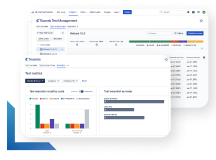
Test management tools exist to handle the verification of acceptance criteria. Platforms like Tricentis qTest allow QA teams to link the acceptance criteria directly to the test cases and then track execution results against them.
qTest seamlessly integrates with your existing DevOps workflow and integrates with toolchains like Azure DevOps, Teams, and Slack. qTest offers E2E traceability, spanning business requirements all the way to the test outcomes.
This is especially valuable for regulated industries like chemicals and health. You need to prove whether the test was indeed passed or passed with a documented exception.
Such platforms offer a real-time dashboard showing how many cases passed, failed, or remain untested during the sprint.
Documentation and collaboration tools
Confluence and Notion are useful for storing large swathes of documentation, such as criteria templates, standards, guidelines, onboarding material, and archives—all in one place.
This reference material helps track what acceptance criteria was used over the course of development and is vital for onboarding new users. Dev teams might also use embedded Loom videos to create explainers regarding the documentation.
Conclusion
By now, you’ll have come to appreciate why setting good acceptance criteria is so essential for product teams. Software quality primarily hinges on a team’s ability to work coherently to come up with well-crafted user stories and their subsequent agreement on the acceptance criteria.
By investing in training and driving best practices, you can streamline development and improve software reliability at your organization.
Interested in learning more techniques geared toward improving software quality? Head over to the Tricentis learning portal for more.