Skip to content

Learn

Introduction to security testing

In this post, we’ll cover the basics of security testing, why it’s important, how to implement it, and some best practices.

security testing

TL;DR

  • Security testing is the process of evaluating software to find and fix vulnerabilities that attackers could exploit to access data, disrupt systems, or bypass controls.
  • The main types include vulnerability scanning, penetration testing, application security testing (SAST, DAST, IAST), API security testing, and network security testing. Each one covers a different layer of the stack.
  • Security testing works best when it runs continuously across the SDLC, integrated into CI/CD rather than bolted on before release. Shifting it left catches issues when they’re cheapest to fix.
  • Compliance frameworks like GDPR, HIPAA, PCI DSS, and ISO 27001 require specific security testing practices, and failing audits can cost more than the breaches they aim to prevent.
  • Compliance frameworks like GDPR, HIPAA, PCI DSS, and ISO 27001 require specific security testing practices, and failing audits can cost more than the breaches they aim to prevent.
  • Agentic AI is starting to handle tasks like autonomous vulnerability triage, test generation, and continuous risk correlation, reducing the manual load on security teams.

In 2023, hackers discovered a security vulnerability in MOVEit, a file transfer software used by many organizations around the world. This allowed them to steal sensitive data from both companies and third-party vendors, showing how one overlooked vulnerability can lead to massive damage.

Incidents like this show why security testing is important. It helps you find and fix weak points early, reduce risk, and stay protected against real-world threats.

“It takes 20 years to build a reputation and a few minutes of a cyber-incident to ruin it.” – Stéphane Nappo, Global CISO, Groupe SEB

In this post, we’ll cover the basics of security testing, why it’s important, the different types, how to implement it, and some best practices to follow.
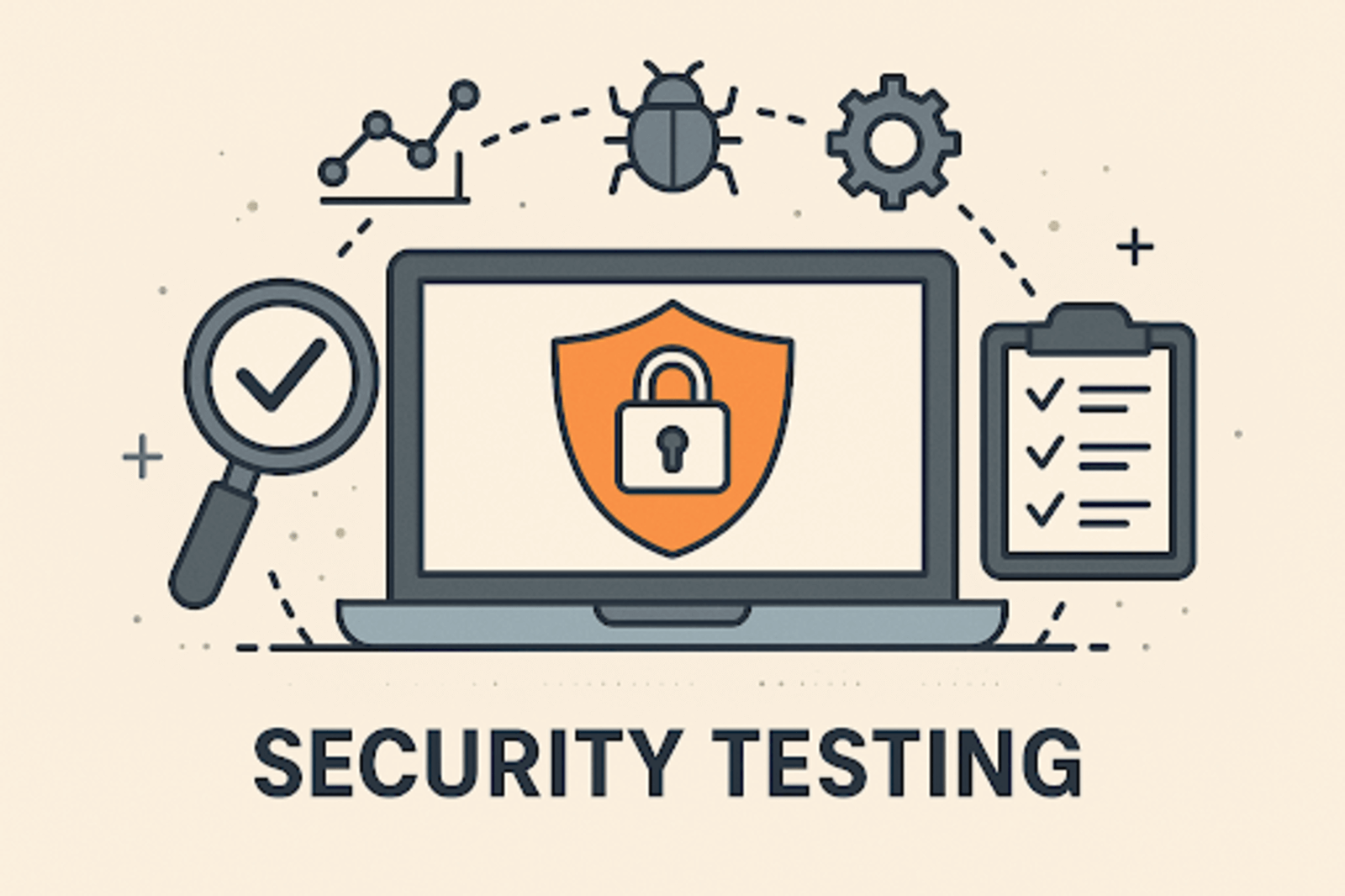
What is security testing?

security testing

Security testing is the process of checking a software application to find and fix vulnerabilities that attackers could use to gain unauthorized access. Its goal is to ensure that the system protects sensitive data and remains reliable against malicious threats.

This is important because:

  • It protects sensitive information, such as personal user data and financial details, from unauthorized access.
  • It identifies vulnerabilities early in the development process.
  • It helps prevent attacks that could compromise the system’s ability to function well.
  • It helps to maintain user and customer confidence in the software and organization.
  • It helps to improve the overall quality and reliability of software applications.

In essence, security testing involves simulating attacks, checking security features, and verifying compliance with security standards to find and fix potential risks before they cause damage.

Principles of security testing

Security testing is based on a few key principles that guide how we protect software and systems from attacks. These principles help to make sure that data stays safe, users are who they claim to be, and systems work as expected.
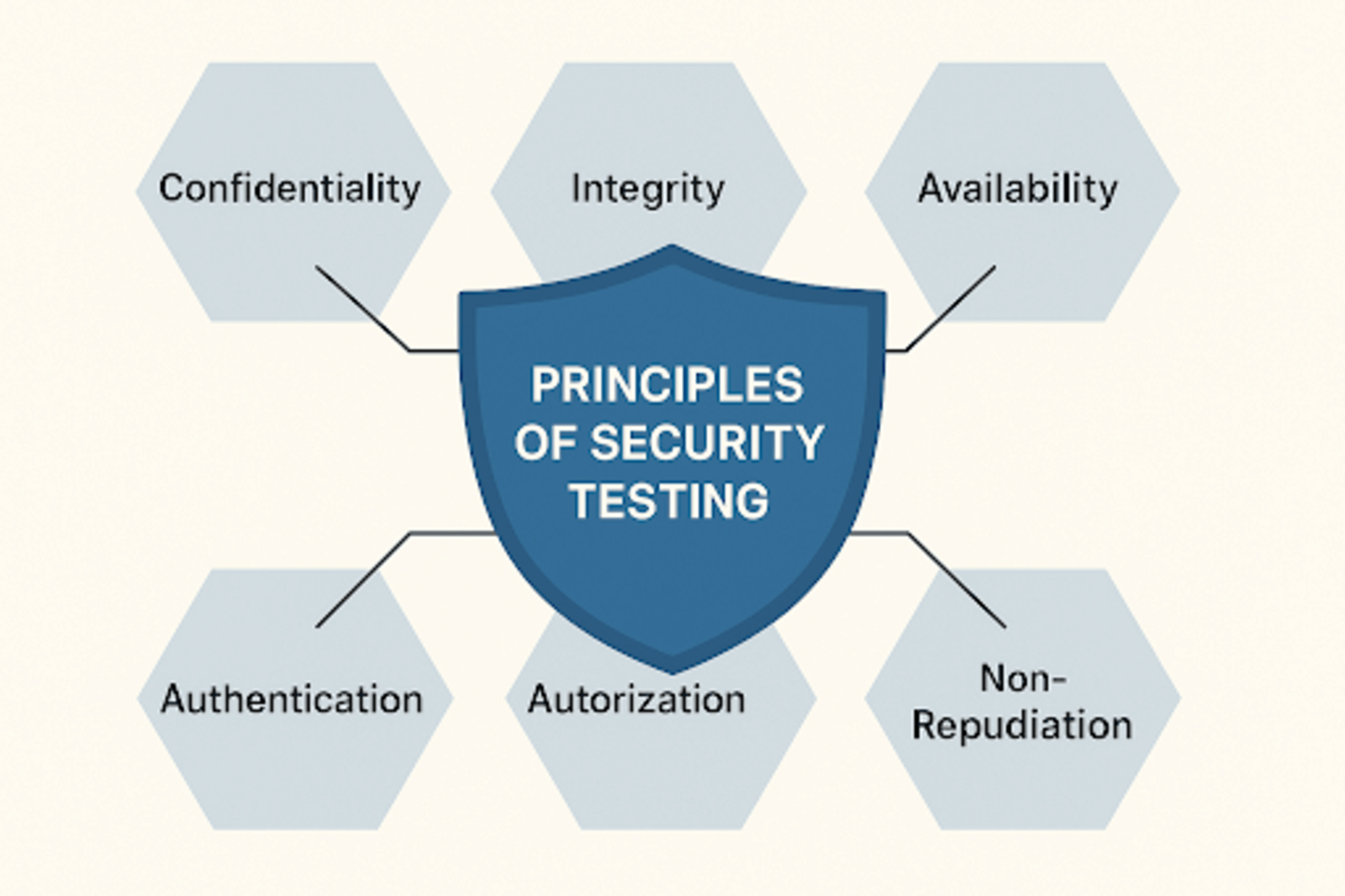
principles of security testing

1. Confidentiality

Confidentiality means keeping sensitive information private and ensuring that only authorized users can access it. Security testing checks that data like passwords and other personal and business information are not exposed to unauthorized users.

2. Integrity

Integrity ensures that data is accurate and has not been tampered with by unauthorized users. Security testing verifies that information remains consistent and trustworthy.

3. Availability

Availability means that the system and its data are accessible when authorized users need them. Security testing looks for weaknesses that could cause downtime or denial of service. It ensures the system remains reliable.

4. Authentication

This verifies the identity of users or systems before granting access. Security testing confirms that authentication mechanisms (like passwords, biometrics, or tokens) are strong and effective.

5. Authorization

Authorization controls what authenticated users are allowed to do. It ensures users can only access resources and perform actions they have permission for. Security testing checks that access controls are properly enforced.

6. Non-repudiation

This ensures that users can’t deny actions or transactions after they have been performed. Security testing verifies that systems keep reliable logs and evidence so users cannot falsely deny their activities.

Types of security testing

There are various ways to identify and fix security problems in software applications. Each of them focuses on different aspects of security.

Vulnerability scanning

This uses automated tools to scan systems, applications, or networks for known security problems. It compares these problems against databases of known vulnerabilities. This helps to prioritize fixes based on severity.

The goal of penetration testing is to identify potential‌ weaknesses before an attacker does​ – and​ then develop ways to fix those‍ weaknesses

Penetration testing (Pen testing)

According to John Boardman, “The goal of penetration testing is to identify potential‌ weaknesses before an attacker does​ – and​ then develop ways to fix those‍ weaknesses.”

It involves ethical hackers simulating real attacks to find security issues that automated tools might miss. This reveals how vulnerabilities can be exploited and their potential impact.

Application security testing

This is a broad category that focuses on identifying security issues in software applications. It includes several approaches:

  • Static Application Security Testing (SAST): Analyzes source code or binaries without running the application to find coding errors and vulnerabilities early in development.
  • Dynamic Application Security Testing (DAST): Tests running applications by simulating attacks to detect runtime vulnerabilities like SQL injection or cross-site scripting.
  • Interactive Application Security Testing (IAST): Combines SAST and DAST by monitoring the application during execution to provide real-time vulnerability detection.
  • Software Composition Analysis (SCA): Examines third-party and open-source components used in applications to identify known vulnerabilities.
  • Mobile Application Security Testing (MAST): Focuses specifically on mobile apps (Android, iOS). It addresses unique risks like insecure data storage, improper API usage, and platform-specific threats.

Focuses on Android and iOS apps. It covers risks specific to mobile: insecure local storage, improper API usage, and platform-level issues that desktop and web testing miss. Common tools: MobSF, NowSecure.

The three most often confused are SAST, DAST, and IAST. Here’s how they compare:

ProsConsNative integration with Salesforce CRM means no separate data pipeline to maintain.Pricing is steep for smaller teams, especially when stacked on top of the required Sales Cloud license.
FeatureSASTDASTIAST
When it runsAt code or build timeAgainst a running appWhile the app is running
What it seesSource codeExternal behaviorBoth code and behavior
CatchesCode-level flawsRuntime flawsBoth
False positive rateHigherMediumLower
SpeedFastSlowerFast
Best forShift-left, pre-merge checksPre-release and stagingContinuous testing in QA and staging

Platforms like Tricentis Vera help teams enforce compliance and security policies across these testing stages, which reduces audit effort and keeps validation records consistent across the SDLC.

4. Web application testing

Web application testing is a focused form of application security testing that targets web apps specifically. It looks for issues like SQL injection, cross-site scripting (XSS), cross-site request forgery (CSRF), and broken authentication. The OWASP Top 10 is the standard reference for what to test for.

5. API security testing

API security testing checks APIs for weaknesses like broken authentication, excessive data exposure, and injection flaws.

It makes sure that the communication between services stays secure, which matters more than ever as applications shift toward microservices and third-party integrations. Tools like Postman, SoapUI, and Burp Suite support API security testing.

API security testing checks APIs for weaknesses like broken authentication, excessive data exposure, and injection flaws.

6. Risk assessment

Risk assessment evaluates potential threats to systems and data, estimating the likelihood and impact of each risk. It helps teams focus security testing effort on the risks that matter most, rather than spending equal time on every possible issue.

7. Network security testing

Network security testing focuses on testing network infrastructure, including firewalls, routers, and servers, for vulnerabilities like open ports, weak protocols, or misconfigurations.

Tools like Nmap, Wireshark, and Netcat are used to map networks and identify potential entry points for attackers.

8. Ethical hacking

Ethical hacking covers attempts to break into systems the way a real attacker would. It overlaps with penetration testing but goes broader.

It can include social engineering, physical security checks, and attacks on the human layer (phishing simulations, badge cloning, tailgating tests) alongside technical probes.

How to carry out security testing

Here are the key steps to help you plan, execute, and manage security testing successfully:

1. Define the scope

Decide what you’re testing. This could be a specific feature, a single service, or a whole application. Understand the regulatory standards that apply, such as GDPR, HIPAA, PCI DSS, or ISO 27001, and identify the specific risks associated with your application.

Scope is a trade-off. A wide scope catches more but takes more time and budget. A narrow scope moves faster but can miss issues that sit outside the tested area. Most teams scope by risk, starting with the systems that handle sensitive data or face the internet.

2. Gather information about your system

Learn how the system works. Understand its components, architecture, and data flow. Check how the application handles inputs, authentication sessions, and data storage.

In practice, this usually means pulling architecture diagrams, listing every API endpoint, and tracing how user data moves from the front end to the database. The better you understand the system, the faster you can spot where security issues are likely to show up.

3. Identify threats and vulnerabilities

In this step, you need to think like an attacker. What would they target? Is there a risk of SQL injection, XSS, broken authentication, or exposed secrets?

Structured threat models help here. STRIDE (spoofing, tampering, repudiation, information disclosure, denial of service, elevation of privilege) gives you a checklist for walking through a system.

The OWASP Top 10 covers the most common web application risks. Pick a framework and use it as a starting point rather than relying on memory alone.

Choose automation for anything repetitive and schedule manual work for the areas where judgment matters more than pattern matching.

4. Choose your testing methods and tools

Select the type of testing that fits your goals, like vulnerability scanning for known issues, pen testing for deeper exploration, SAST for code-level flaws, or DAST for runtime behavior. Most teams use a mix.

Then pick the tools. Common options include OWASP ZAP and Burp Suite for dynamic scanning, Snyk for dependencies, Nessus for network and infrastructure, and SonarQube or Semgrep for static analysis.

Choose automation for anything repetitive and schedule manual work for the areas where judgment matters more than pattern matching.

5. Run the tests

Execute the tests you planned, both automated scans and manual checks. Simulate real attacks to see how the system responds under pressure.

Running tests is not a one-off event. Most mature teams integrate security tests into their CI/CD pipeline so they run on every build, every pull request, or every nightly schedule. Keep clean logs of every run. You will need them when triaging findings and proving coverage during audits.

6. Analyze the results

Review the test findings to understand which vulnerabilities are real, how severe they are, and how someone could exploit them.

Not every finding is a true positive. Scanners flag patterns, but a pattern in test code or an isolated internal tool rarely carries the same risk as one in a production API.

Use severity scoring to rank what matters. The Common Vulnerability Scoring System (CVSS) gives each finding a score from 0 to 10 based on impact and exploitability. Prioritize high-risk issues that affect sensitive data, authentication, or critical user-facing features.

7. Report and fix the issues

Document the vulnerabilities clearly: what they are, where they live, and how to fix them. Include screenshots, URLs, payloads, and any steps needed to reproduce the issue.

Then close the loop. Route findings to the right developers, track them in the same system the team uses for other work (Jira, Linear, GitHub Issues), and verify each fix with a retest. A vulnerability is not resolved until someone confirms the fix held.

Start security testing immediately when you start development and continue to test throughout the development cycle

Security testing in the SDLC

Security testing works best when it runs across the full software development life cycle (SDLC), not just before release. Every stage of the SDLC creates a different chance to catch issues, and each stage calls for a different kind of test.

Where each type of testing fits

1. Requirements and design

This is where threat modeling lives. The team maps out what the application will do, who uses it, and where the risks are. Catching a design flaw here costs almost nothing compared to fixing it after launch.

2. Development

Developers run static analysis and software composition analysis as they write code. Most teams integrate these tools into the IDE or the pre-commit hook, so a flaw gets flagged before the code even reaches a pull request.

3. Build and integration

The CI pipeline runs fuller SAST scans and dependency checks on every commit. If a scan fails, the build fails. Nothing moves forward until someone fixes the issue.

4. Testing and staging

DAST and IAST tools take over here. They test the running application the way a real user or attacker would. Manual pen testing fits here too, especially before major releases.

5. Deployment

Configuration checks and infrastructure-as-code scans catch misconfigured cloud resources, exposed secrets, and weak permissions before they reach production.

6. Operations

Once the application is live, continuous monitoring, vulnerability scanning, and regular pen tests keep watch for new threats. The job does not end at release.

Coordinating testing across the life cycle

Running the right test at the right stage is one problem. Keeping all of it consistent across teams, releases, and compliance requirements is another.

Individual scanners give teams data. They flag a vulnerability, log a finding, and move on.

But without a layer that ties these findings together, security work turns into a pile of disconnected reports. Different teams run different tools. Findings get duplicated or missed. Audit trails go stale.

Test orchestration and governance platforms solve this. They schedule scans across the SDLC, route findings to the right owners, track remediation, and keep a clean record of what was tested and when.

Tricentis Tosca supports this kind of orchestration by folding security validation into continuous testing workflows, which helps teams keep security checks consistent across releases rather than treating each scan as a one-off.

Running the right test at the right stage is one problem. Keeping all of it consistent across teams, releases, and compliance requirements is another.

Compliance and regulatory standards

Most organizations do not run security testing by choice alone. Regulations and standards require it, and failing an audit can cost more than the breach it would have prevented. Here are the main frameworks that shape how security testing gets done and what each one asks for.

GDPR

The General Data Protection Regulation applies to any organization that handles personal data belonging to people in the EU, regardless of where the company itself is based.

It does not name specific testing methods, but Article 32 requires “appropriate technical and organizational measures” to protect data, and regulators read that to include regular security testing and vulnerability assessments.

Companies that fail to test and then suffer a breach face fines of up to 4% of global annual revenue.

HIPAA

The Health Insurance Portability and Accountability Act covers any US organization that handles protected health information. Its Security Rule requires risk analysis and risk management for all systems that store or transmit patient data.

In practice, this means regular vulnerability scans, penetration tests on systems touching patient records, and documented remediation when issues turn up.

PCI DSS

The Payment Card Industry Data Security Standard applies to anyone who accepts, processes, or stores credit card data. It is one of the more specific frameworks about testing.

Requirement 11 mandates quarterly vulnerability scans, annual penetration tests, and scans after any significant change to the cardholder data environment. Missing these tests can get a merchant’s processing privileges revoked.

ISO 27001

ISO 27001 is an international standard for information security management systems. It does not prescribe tests but requires organizations to identify risks, put controls in place, and verify that those controls work. Security testing is how you prove the controls work. Most enterprise customers now expect ISO 27001 certification before signing a contract with a new vendor.

SOC 2

SOC 2 is a US audit framework developed by the AICPA, widely used by B2B SaaS companies. It checks that a service organization has proper controls around security, availability, processing integrity, confidentiality, and privacy.

Auditors expect evidence of regular security testing, documented findings, and clear remediation workflows. For many SaaS companies, SOC 2 is the gate that opens enterprise sales.

Other frameworks worth knowing about include NIST 800-53 for US federal systems, FedRAMP for government cloud providers, and CCPA for California consumer data. Each one layers its own testing expectations on top.

The common thread across all of these is evidence. Regulators and auditors do not just ask whether you tested. They ask for proof of what you tested, when, what you found, and how you fixed it.

Platforms like Tricentis Vera help teams capture this evidence automatically, which turns compliance from a scramble before each audit into a byproduct of how the team already works.

Security testing best practices

A few habits separate teams that do security testing well from teams that just go through the motions. These practices keep testing consistent, catch issues earlier, and make audits easier.

1. Shift security testing left

Start security testing as soon as development begins, not right before release. The earlier a vulnerability shows up, the cheaper it is to fix and the less it disrupts the roadmap.

Integrate static analysis into the IDE, run dependency scans on every pull request, and make security part of the code review process rather than a separate phase.

2. Combine manual and automated testing

Automated tools scan fast and catch the known patterns. Manual testers find the logic flaws, chained exploits, and business-context issues that no tool can reason about.

Use automation for breadth and scheduled manual testing for depth. Teams that rely on only one usually miss real issues.

3. Keep up with evolving threats and CVE data

Attackers find new techniques constantly, and vulnerabilities get published in public databases every day.

Subscribe to sources like the National Vulnerability Database, the CISA Known Exploited Vulnerabilities Catalog, and vendor advisories for the tools and libraries you depend on. Review your testing approach regularly so it keeps pace with real threats, not last year’s.

4. Document findings and track remediation

Every finding needs a clear record: what the issue is, where it lives, how to reproduce it, and who owns the fix.

Track remediation in the same system the team uses for regular work (Jira, Linear, GitHub Issues) and verify each fix with a retest. A finding without an owner usually becomes a finding without a fix.

5. Integrate security testing into CI/CD

Security tests should run automatically as part of the build pipeline, not as a manual step someone remembers to trigger.

Integrate SAST, DAST, and dependency scans into CI so every commit gets checked, and fail the build when a high-severity issue appears. Continuous integration of security tests catches regressions before they reach production.

Agentic AI in security testing

Agentic AI in security testing refers to AI systems that plan and run multi-step testing workflows on their own, deciding what to test next based on what they just found. These tools do more than flag issues. They investigate, prioritize, and act.

This shift matters because traditional AI in testing has mostly been reactive. A scanner uses machine learning to reduce false positives or rank findings by severity.

Useful, but the human still drives the workflow. Agentic systems reverse that. The agent drives, and the human reviews.

“89% of CISOs are pushing to accelerate the adoption of agentic security.”

David Gruber, principal analyst, Omdia

What agentic AI can do today

Current agentic security tools handle a few jobs well:

  1. Autonomous triage: An agent reviews scanner output, checks each finding against the live system, and filters out false positives before a human ever sees the list.
  2. Chained investigation: When an agent finds something suspicious, it follows the thread: pulls logs, checks related systems, and builds a picture of whether it is a real incident.
  3. Test generation: Agents read a pull request, understand what changed, and generate security tests targeted at the new code.
  4. Continuous coverage: Agents track which parts of the codebase have been tested recently and adjust the testing strategy as the application changes.

The limits worth knowing

Agentic AI is powerful, but it’s not reliable on its own. Agents can hallucinate findings, miss business context (they do not know which endpoint handles payroll, for example), and struggle with novel attack patterns.

The OWASP GenAI Security Project tracks emerging risks specific to agentic systems, and the short version is this: autonomy helps with scale, not with judgment.

Agentic AI does not replace security engineers. It removes the repetitive work that keeps them from addressing harder problems.

Conclusion

Security testing is not something teams bolt on at the end. It works when it runs continuously, catches issues at the cheapest point in the life cycle, and gives teams the evidence they need when auditors ask.

The goal is not perfect security. It is fewer surprises, less damage when something does go wrong, and a team that can respond with confidence.

As Kevin Mandia, founder of Mandiant, put it: “If you aren’t investing in cybersecurity, you’re investing in vulnerability.” The cheapest vulnerability to fix is the one you find before anyone else does.

Tricentis testing solutions

Learn how to supercharge your quality engineering journey with our advanced testing solutions.

Author:

Guest Contributors

Date: Jun. 05, 2026

FAQs

What is the difference between security testing and penetration testing?

Security testing is the broad practice of checking software for vulnerabilities. Penetration testing is one type of it. Security testing includes scans, code reviews, and compliance checks. Pen testing is ethical hackers simulating real attacks.

How often should security testing be performed?
+

Automated security tests should run continuously, on every build or pull request. Penetration tests typically run quarterly or annually. Some compliance frameworks, like PCI DSS, require specific cadences.

Who performs security testing?
+

Security testing is usually done by a mix of in-house engineers and external specialists. Developers handle static analysis and dependency scans. Security teams run deeper tests. External firms handle pen tests and audits.

Is security testing manual or automated?
+

Both, and the best programs use them together. Automated tools catch known patterns at scale. Manual testers find logic flaws and business-context issues that tools miss.

What are the main types of security testing?
+

The main types are vulnerability scanning, penetration testing, application security testing (SAST, DAST, IAST), API security testing, network security testing, and risk assessment. Most teams use a combination based on what they need to cover.

How much does security testing cost?
+

Costs range from free to six figures per year. Open-source tools like OWASP ZAP cost nothing. Commercial SAST and DAST platforms run between $30,000 and $150,000 annually for a mid-market stack.
A singleexternal penetration test averages $10,000 to $35,000, with pricing from $5,000 for a small application to over $100,000 for enterprise environments.

You may also be interested in...