Skip to content

Learn

What is test data in software testing? A guide

Learn what test data is, its types, and how teams use it to validate software functionality, performance, and reliability.

test data management

TL;DR

  • Test data is a collection of data used to confirm a system works as intended.
  • The main types are valid, invalid, boundary, and erroneous data.
  • Key challenges of test data management include access, test collision, stale data, privacy, and security concerns.
  • Good on-demand test data makes debugging faster and automation reliable.
  • Well-managed and high-quality test data is essential for effective testing.

Learn what test data is, how to prepare and secure it, and best practices for managing realistic, GDPR-safe datasets. Improve testing quality today.

Software testing is essential to the Software Development Life Cycle (SDLC). However, without proper test data, you’re taking a blind leap of faith.

As software testing pioneer Glenford Myers said, “The key to testing is not to try to prove something works, but to try to break it.” Breaking weak points in your software becomes nearly impossible without the correct test data.

Test data isn’t just an input; it’s the backbone of a reliable, user-ready application. In this post, you’ll learn what test data is and how to effectively prepare, manage, and secure it.

What is test data?

Test data is information created or selected to validate software functionality, performance, and reliability during testing. It can include inputs, expected outputs, and environmental conditions to simulate real-world scenarios in which the software will operate.

Consider testing an e-commerce web app; the test data includes simulated information to validate the functionality, reliability, and performance of an online shopping platform.

For example, user data could consist of customer profiles with names and emails to test logins, while product data involves a catalog of items to verify search and categorization features.

Order data, such as combinations of products and payment methods, ensures the checkout process works. Dummy payment data, including credit card numbers, helps validate payment processing.

By simulating real-world scenarios, test data helps find common web app problems, validate integrations with external systems, and ensure a positive experience.

Test data is essential for achieving comprehensive and accurate testing outcomes.

Importance of test data

Test data is essential for achieving comprehensive and accurate testing outcomes. It ensures all test cases are executed under conditions similar to the application in production. Below are the reasons test data is essential:

  1. It enables testers to validate how a system handles various inputs, ensuring that functionality meets the requirements.
  2. It helps uncover bugs that might otherwise go unnoticed.
  3. When anonymized or masked, test data safeguards sensitive information while complying with data privacy regulations like GDPR.
  4. Test data simulates user behavior under heavy traffic conditions for load and stress testing, identifying bottlenecks or performance issues.

Importance of test data

What are the different types of test data?

To validate a system’s reliability and performance, you need different types of test data. Here’s a list:

1. Valid test data

This is data the system should handle properly, assuming normal operation. This includes a user entering a valid email address, such as “user@example.com,” a valid credit card number with an expiration date in the future, or choosing a product that is in stock.

2. Invalid test data

This tests the system’s ability to reject unwanted or invalid data. In an e-commerce system, this includes entering an expired credit card, putting the value “abc” in the quantity field, entering the wrong CVV code, or using an invalid discount code.

This is to ensure that the system displays clear error messages instead of crashing or accepting invalid orders.

3. Boundary test data

This refers to the minimum and maximum values to test the edges of the system. For a shopping site, this might include quantities of 1 (the smallest), 0 (the smallest, but does the system allow it?), 999 (the highest allowed), or 1000 (the highest, but can’t be allowed).

4. Erroneous test data

This tests the system with unexpected, invalid, or even malicious data to assess stability and security. For an e-commerce site, examples could be entering ” ‘ OR ‘1’=’1″ in the search field or in the customer name.

Testing levels that require test data

Functional testing

Test data verifies that each function or feature works. For example, in an e-commerce web app, we test the checkout process using various payment methods, addresses, and cart contents to ensure the correct handling of all scenarios.

Performance testing

We use large volumes of test data to evaluate the system’s performance under different loads. That way, you can discover any scalability issues.

Security testing

In security testing, we use test data to evaluate system defenses. For example, we can use SQL injection strings or malformed inputs to verify the application’s ability to reject malicious attempts.

Integration testing

Test data ensures data flows correctly between interconnected components or systems, verifying that APIs, databases, and third-party services work well together.

Database testing

Here, the test data checks the database schema, data integrity, stored procedures, or triggers. It does so through insertion, update, query execution, and compares the output to expected results.

You run tests using a similar version of the test data and check for changes in the results.

Regression testing

Uses test data to check if the new code altered previous features. You run tests using a similar version of the test data and check for changes in the results. A change in the result could signal regression.

Properties of test data

Completeness

Data should include all possible cases, including normal, edge, error, and boundary values. For example, for a quantity field, data points should include 1 (min), 10 (max), 0 (less than min), 11 (greater than max), and 5 (average). Failing to test the extremes might overlook important bugs.

Independence

Test data should not produce unintentional test case dependencies.

For example, if one test case changes a product’s price from $65 to $75, this should not impact another test case that expects the price to be $65. This may require resetting the database or using separate data for each test run.

Accuracy

Data should be as realistic as possible. In e-commerce, realism involves using addresses like “189 Main Street” rather than “aaa.” Realistic data helps detect problems with formatting, sorting, or display that could be masked by using dummy data.

Security and privacy compliance

Test data shouldn’t reveal details about real customers unless it is anonymized. For e-commerce, using real data involves obfuscating credit card numbers, replacing names with pseudonyms, and removing session tokens or passwords.

Generating test data

We create or source test data to simulate real-world scenarios for effective application testing. It can originate from various places depending on the testing requirements and the type of application.

Common sources include production data, actual user data extracted from live systems, and synthetic data, artificially generated to mimic real-world data patterns.

Production data provides the advantage of realism but often requires extensive anonymization or masking to ensure privacy and compliance with regulations like GDPR.

Manual test data generation is also possible, with testers or developers creating data sets for specific use cases. You may use this approach for edge cases or unique test scenarios.

However, manual generation can be time-consuming and prone to human error. On the other hand, automatically generated data uses tools or scripts to quickly produce large volumes of data.

For example, you can write Python scripts to generate thousands of names, dates, or numerical records tailored to specific needs.

Additionally, third-party providers offer pre-generated datasets or data generation services. These providers are helpful for specialized or domain-specific data, such as financial transactions, healthcare records, or demographic profiles.

The choice of data source depends on factors like the application domain, test goals, and privacy considerations. Synthetic data is ideal for performance testing, as it avoids privacy risks and allows testers to simulate extreme scenarios.

How to create test data

Use libraries

Libraries such as Faker (Python) or Bogus (.NET) can quickly generate realistic-looking fake names, email addresses, addresses, credit card numbers, and prices for products in your catalog.

These packages are great for rapidly generating large sets of diverse realistic data, and they can be set to use a constant random seed to produce the same data for different runs of automated tests.

Copy and mask production data

Use SELECT statements or ETL tools to extract a sample of production data and mask all personal data with fake data using masking scripts or data anonymization tools such as Delphix.

This is a good way to create a high-fidelity environment for performance and regression testing that complies with privacy laws such as GDPR and PCI DSS.

Write SQL seed scripts

Write SQL INSERT scripts that insert predictable test data into the database tables and commit them to version control along with your application source code.

You can run these scripts before running test suites to seed the database with test data in a known state to ensure you have a consistent starting point for tests.

Factories greatly reduce code maintenance because when a schema changes, you only need to change the factory rather than thousands of tests.

Use factory libraries and builders

Implement factories (such as Factory Bot for Ruby or Factory Boy for Python) that provide templates for generating valid objects, and use this to allow tests to request variations by changing only the attributes they need.

Factories greatly reduce code maintenance because when a schema changes, you only need to change the factory rather than thousands of tests.

Use fuzzing to generate security test data

Fuzz your data using tools such as AFL, Radamsa, or Peach, to generate invalid, malformed, or even malicious inputs automatically.

For example, begin with a valid JSON product data structure and fuzz it to produce thousands of variants with insufficient brackets, additional commas, cross-site scripting, or excessively long integer values.

This is a critical practice for security and resilience testing, finding corner cases that would not be considered in manual test design.

Test data preparation and storage

Test data preparation is a critical step in software testing that ensures data accuracy, completeness, and relevance during the testing lifecycle. The process may involve:

  1. Understanding the test scenarios to identify the data needed for functional, performance, or security testing.
  2. Choosing appropriate data sources, such as synthetic, production, or third-party data, while ensuring the relevance and completeness of the data.
  3. For production data, mask or anonymize sensitive information to comply with privacy regulations like GDPR or HIPAA.
  4. Using manual methods or automated tools to create realistic or edge-case data for various scenarios.
  5. Ensuring that the generated or sourced data meets quality standards, such as accuracy, consistency, and relevance.

We must securely store test data once it is prepared to maintain its integrity and accessibility. Storage solutions vary depending on the volume and sensitivity of the data. Here are some ways to handle storage:

  1. Use dedicated test databases that mirror the production schema but with controlled, anonymized data.
  2. Maintain versions of test data to track changes and replicate test conditions.
  3. Protect test data with encryption and access controls to prevent unauthorized access or misuse.
  4. Leverage cloud-based solutions like AWS S3 or Azure Blob Storage for large-scale test data management, ensuring accessibility and scalability.

Test data management involves the processes, tools, and strategies for provisioning, securing, and maintaining datasets for software testing.

Test data management

Test data management is the process of creating, securing, maintaining, and storing datasets for software testing using various tools and strategies. It ensures the test data is accurate, consistent, and compliant with data protection regulations.

Managing large volumes of test data requires a structured approach to ensure efficiency and accuracy. Begin by categorizing data into small, meaningful subsets aligned with test cases to avoid processing excessive data unnecessarily.

Leverage database partitioning and archiving to organize and store data logically. Tools like Hadoop or AWS S3 are useful for handling big data scenarios, while data virtualization can simulate data access without duplicating storage.

Automating data generation for repeated scenarios can also reduce the need to manage vast datasets manually.

When to get new data or rotate data

You should periodically update or rotate test data to maintain relevance and effectiveness. Below are the reasons you may need to get new test data:

  • When you have new features or updated test cases.
  • If outdated data no longer reflects realistic conditions or user behavior.
  • Regulatory updates require re-anonymizing or rotating sensitive production data.

Rotating test data is also critical in performance and security testing to avoid biases from overused data or detecting vulnerabilities missed in static datasets.

Best practices for test data management

  1. Store and manage data in a single repository for consistency and accessibility.
  2. Mask sensitive information to comply with privacy laws like GDPR or HIPAA.
  3. Where possible, reuse data sets for regression and integration testing to save resources.
  4. Use tools to automate data generation, masking, and validation to save time and reduce human error.
  5. Encrypt test data and implement role-based access to prevent unauthorized usage.
  6. Maintain a history of data versions to replicate test conditions as needed.

How quality test data drives Agile development

  1. Quality test data guarantees that automated tests execute fast and are reliable, since the data is fresh, isolated, and generates real-world-like scenarios.
  2. Good on-demand test data allows build pipelines to run “hands-off,” because teams can automatically generate or refresh data in seconds instead of spending time on manual setup.
  3. Well-designed test data that is isolated avoids interference where one test overwrites another’s data. This enables running hundreds of tests in parallel with no flaky results.
  4. When test data resembles real-life scenarios, we detect bugs sooner, often minutes after introduction, rather than days later, in the staging or production environments. environment.
  5. Test data that is version-controlled, repeatable, and created as part of a single command makes it possible to populate the test environment in minutes, not days.
  6. Having a robust set of tests that use quality test data allows developers to refactor with confidence, knowing that if they break something, the tests will fail immediately with valid test data.

Test data challenges

Testers can’t access the data they need because restrictions on production databases stem from security, privacy concerns, or their use by other teams.

1. Data availability and access

Testers can’t access the data they need because restrictions on production databases stem from security, privacy concerns, or their use by other teams. Even when they permit access, the data might be located in environments that are offline or in maintenance.

2. Stale and expiring data

Over time, test data expires as discounts expire, prices get updated, stock levels change, customer details are edited, and seasonal promotions expire.

If test data is not fresh, tests fail not because of a software fault but because the test data does not represent a valid scenario, leading to false negatives.

3. Test data isolation and collision

Running tests in parallel with shared test data often results in tests modifying the same data.

One test may expect a cart total of $50, while another test running simultaneously alters the price of one product to $60, resulting in the first test being flaky and failing intermittently without any real issue.

4. Data diversity

Test data sets tend to be a small, uniform set of manually created values that do not cover the variety of real input values, such as geography, currency, language, customer, and product types.

For example, an online retailer may test checkout using only US addresses, failing to catch bugs in handling international shipping.

5. Risks to privacy, security, and compliance

Using production data directly in test environments exposes sensitive and personally identifiable information (PII). This is a breach of various regulations, such as GDPR, CCPA, HIPAA, and PCI DSS, which can lead to potential fines, lawsuits, and responsibility for data breaches.

Why use test data?

Test data is essential for effective software testing because it ensures that applications meet real-world demands with precision and reliability.

Whether it’s synthetic data, anonymized production data, or data generated through automation tools, having the correct inputs for testing is critical to uncovering flaws and delivering robust software.

From preparation to secure storage, proper test data management helps balance realism with compliance, scalability, and efficiency. Use the right test data to improve software quality. See how Tricentis helps teams create, manage, and use test data for more reliable testing.

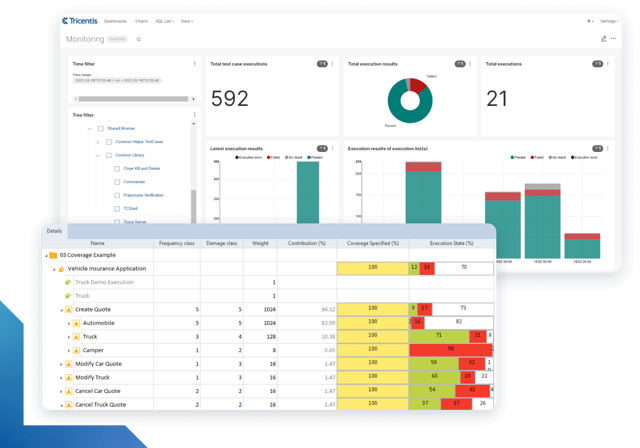
Intelligent test automation software screens

Tricentis Tosca

Learn more about intelligent test automation and how an AI-powered testing tool can optimize enterprise testing.

Author:

Guest Contributors

Date: May. 22, 2026

FAQs

What is test data?

Test data is a collection of input values you can use to verify that a system performs correctly.

What are the test data needs?
+

Test data needs are specific criteria that your test data should fulfill to validate the system. These are validity, variety, volume, freshness, isolation, integrity, reproducibility, security, and traceability. Different testing levels prioritize different needs.

What is corrupted test data?
+

Corrupted test data is deliberately or accidentally damaged, modified, or invalidated input. This data, as a result, has lost its expected structure, encoding, or integrity.

Should test data be static or dynamic?
+

It depends. Use static test data for repeatability or regression. Use dynamic test data for variety, freshness, parallel testing, and CI/CD. Most systems combine both.

You may also be interested in...