

Automated software testing
Automated software testing solutions can overcome the challenges of...
Discover how data-driven testing improves test coverage, reusability, and efficiency. Explore its benefits, challenges, and real-world use cases.

Data-driven testing is a software testing methodology that involves using external data sources, such as files, databases, and spreadsheets, to drive test cases. It allows multiple sets of inputs to be run against the same test script by separating the test logic from the test data. This approach ensures comprehensive coverage by testing a wide range of scenarios without the need to rewrite or duplicate the test code for each data variation. The primary objective is systematically validating an application’s functionality across various data inputs and edge cases.
Data driven testing is because it promotes efficiency, scalability, and accuracy. Traditional testing methods often require hard-coding test cases with fixed input values, making them rigid and less adaptable to changes. DDT, however, allows you to manage and update test data independently of the test scripts. This separation reduces maintenance efforts and ensures that tests remain reusable and modular.
DDT helps uncover defects related to data variations, such as boundary value issues and unexpected input behaviors, that might otherwise go unnoticed. It’s beneficial in complex systems, where input permutations can be vast, making manual or hard-coded testing infeasible.
Data-driven testing came as a response to the limitations of traditional testing methods, particularly in environments requiring extensive test coverage. Early manual testing processes were time-consuming and error-prone, often failing to account for the diverse ways users interact with software. As automation tools gained traction, testers began exploring techniques to optimize test execution and enhance coverage. Separating test logic from data became a cornerstone of modern test automation frameworks. In traditional testing, test scripts embed inputs; DDT, however, enables dynamic data injection, thus increasing adaptability and scalability. While traditional testing evaluates if it works, data-driven design emphasizes how it works for the user, ensuring the product evolves based on real-world insights and needs.
At its core, DDT involves creating a single test script that can execute multiple test cases using externalized data. Instead of embedding test inputs directly into the script, we store the inputs in data sources, such as spreadsheets, databases, JSON, XML, or CSV files. This allows the same script to be reused for different data scenarios without modification.
Here’s a summary of how data-driven testing works:
There are different types of DDT:
Below is a general overview of how to implement DDT:
Handles large volumes of data inputs seamlessly, ensuring comprehensive test coverage.
Here’s a list of DDT benefits:
Despite numerous benefits, DDT has challenges:
Let’s talk about the agile testing methodology and how it relates to data-driven testing and test automation.
To understand the agile testing methodology, it’s vital to take a step back and talk about software testing before the agile era.
Before agile methods, organizations followed a variety of methodologies, many of them variations of the infamous waterfall methodology. In a nutshell, development consisted of sequential strict phases, in which a phase only began after the previous one had ended. In this scenario, software testing was one of the phases of development, which took place only after all development was concluded.
The problem with testing being its own phase was that it was often done too late in the process. After the QA team finished testing, if they found defects, it would often be too expensive and hard to go back and change the code, or even the whole design or architecture of the system.
Software practitioners realized that long feedback cycles were damaging the development process. And here entered the agile methodologies. In agile, teams create software in short iterations. By the end of the iteration, they produce an increment of the application, which already delivers value to the end user.
In this new paradigm, software testing is no longer a phase, but rather an activity that happens constantly. As such, agile testing requires close collaboration between testers, developers, QA analysts, and anyone else in the development team. Since agile emphasizes real, working software over extensive written documentation, the collaboration between the development team and the business people is crucial. In agile testing, this collaboration often takes the form of business people helping or even writing test cases and specifications in methodologies such as behavior-driven development (BDD) and acceptance test-driven development (ATDD).
As you’ll see, data-driven testing can really booster collaboration between technical and non-technical people. Since editing an excel file—for instance—doesn’t require coding skills, the barrier for entry becomes lower, allowing more people to collaborate with the software testing effort.
In the next section, we’ll talk about some data-driven test observations (e.g., some essential aspects of this modality of software testing).
Let’s walk you through some of the key operations you need to observe during data-driven testing. They are:
A crucial operation in data-driven testing is the creation of the data sets. This involves:
However, a big part of the job is coming up with the actual test data. That requires knowledge of the business domain so that one can understand:
Another vital component of data-driven testing is the scripts responsible for consuming the data from the data files, which can be written and maintained by the development team themselves or leveraged from a third-party tool. A final component of data-driven testing is the actual performing of the tests, which uses the components you’ve just read about. That takes us to the next section, in which we’ll cover the data-driven testing steps.
This section will cover the steps belonging to a test automation strategy that uses data-driven testing. To be clear here, we’re not talking about the process of creating test cases or the strategy behind comping up with the data sets. Instead, this section is all about the steps involved in the execution of the test cases themselves.
The first step of a data-driven test run is, unsurprisingly, all about the data itself. We need to extract and parse the data from the data set files, which can be in several different formats, including CSV files, Excel sheets, and XML documents.
During this data extraction phase, validation is a crucial operation since there are many things that can go wrong, such as:
The list above isn’t exhaustive, and a great data-driven testing process (and test automation process in general) must be robust enough to handle such issues gracefully. At the bare minimum, the testing tool should log the problems with descriptive error messages so that the team can identify and fix the problem ASAP. The validation operation has some inevitable overlap with parsing, which is the next essential operation. After parsing, the data is ready to be fed into the application under test.
The team can write custom scripts or use third-party frameworks or tools that provide the functionality for this step.
After extracting, validating, and parsing the input data from files, the next step is using them to feed the actual test scripts used in test automation. How this process is performed varies according to the specific tools in use. But in general, you can think of this step as a glorified for loop: for each item in the data set (e.g., a line from a CSV file or an excel sheet), perform the test case once with the values from the item as inputs.
What the data will be used for, in practice, depends on the nature of the tests themselves. In an end-to-end testing scenario, the data from the files can be used:
Data-driven testing isn’t restricted to end-to-end testing, though. A team can also use the data-driven approach within unit testing or integration testing. It’s possible to use data from the file as inputs during the “act” phase of a typical AAA (arrange-act-assert) test.
In test automation, each test script execution includes a vital step: comparing the obtained outcome with the expected outcome. If you’re familiar with unit tests, then you’re used to writing assertions for your test cases. Well, this step is the equivalent of assertions in unit testing, with one important difference. In unit tests, the expected values are typically expressed in the test code itself—even though parametrized unit tests are supported by many unit testing frameworks.
The expected results/outcomes in data-driven testing come from the data sets themselves. This allows for a huge deal of flexibility. Did you just think of some new scenarios? Just add new inputs to your excel sheet and, voilà, your test execution will pick up those changes and run the additional test cases. There’s no need to change the actual code of the test scripts.
This is an optional but often very important step. As time goes by and the team gets more acquainted with the application, they’ll undoubtedly learn more about the domain, the needs of the users, and many other aspects of the project. This often results in the discovery of potential new test scenarios, which the team can then support via the inclusion of new items into the data sources.
Unfortunately, bugs are also a reality in the life of a project, and the bug count tends to increase as a project gets older. A bug that makes it into production is a failure in the test automation effort; it means there’s a hole in the test coverage—and, as a consequence, an opportunity to increase said coverage. And, of course, when it comes to data-driven testing, the team can always add more items to the test data files in order to support more scenarios.
We’ve already touched on some of the benefits of data-driven tests. Now we’ll go a little bit deeper on the advantages of the methodology for your test automation strategy, expanding on the ones we already talked about and listing additional ones.
The time-saving capabilities of test automation and data-driven testing are surely a great benefit. Data-driven testing allows you to cover multiple scenarios in less time than what would be necessary to create several test scripts, let alone manually perform all those test cases.
The inclusion of new scenarios is also way easier since it only requires editing the data set files. Since that doesn’t require coding, it also doesn’t require people with coding skills, which can often be a bottleneck. There’s also typically no need for a code review, since test data editing or inclusion doesn’t happen via pull requests.
It’s also possible to write new scripts that use already existing data sets. This also results in time savings, since there’s no need to input the data for these new tests manually or to create new files.
Over the lifetime of a project, data-driven testing might save hundreds or thousands of person-hours that the organization would have wasted otherwise. This brings us to the next item.
Opportunity cost is an important concept in economics. According to Investopedia:
Opportunity costs represent the potential benefits that an individual, investor, or business misses out on when choosing one alternative over another.
In other words, every time you decide to do something, you decide against doing all of the other possible things, and some of those could net you higher gains. But what does this have to do with testing?
Every time an organization has people performing activities that could be performed by automation, they’re incurring opportunity costs. Those people could be doing things that require human creativity and ingenuity, potentially bringing a lot of value to the organization.
By leveraging test automation and data-driven testing, an organization frees a lot of time for its employees, who don’t have to perform test cases manually or constantly create new test scripts. Thus, they can use this time to engage in activities more valuable for the company.
Data-driven testing brings a lot of flexibility to the software testing process. As you’ll see next, since altering or creating more scenarios doesn’t require coding skills, data-driven testing enables and fosters collaboration between different areas in the organization, empowering non-technical collaborators to aid in the test automation effort.
If the team finds out a certain scenario is no longer relevant, they could easily delete it just by removing it from the data set file. The opposite is also true, since including data is as easy as adding new lines to a CSV file or Excel spreadsheet.
It’s also possible to write new test scripts and leverage the existing data sets. This saves time and prevents unnecessary duplication of data set files. But copying a file and editing its contents is easy if the need appears.
Last but not least, since the data for testing is in a different place from the source code itself, altering the data tends to be faster. Many organizations use a collaboration process centered around pull requests and code reviews. Often, the PR process becomes a bottleneck, and changes wait for a long time for code review. In this scenario, a test change could also take a long time to take effect. But with data-driven testing, that wouldn’t happen, since changes to the test data would occur using a different process than regular changes to the codebase.
Data-driven testing can contribute to a software testing strategy that requires fewer people with coding skills. Without data-driven testing, team members—a tester, a QA analyst, or a developer—would have to write new test scripts—in Java, JavaScript, Python or another language—to support more scenarios. However, data-driven testing enables team members to support more scenarios by including new items in the dataset. This can be as simple as editing a .xlsx file, allowing people with no coding skills to contribute to the test automation effort.
Perhaps more importantly, testing strategies that rely less on coding are inherently more collaborative and make it easy for organizations to shift left with their testing. They enable product owners, business analysts, and people from other non-technical roles to describe business scenarios and specifications using the data sets meant for testing. This makes even more sense when used along with a methodology such as BDD (behavior-driven development) or ATDD (acceptance test-driven development).
Data-driven testing supports a stark separation between the logic of the tests and their data. Thus, maintenance of the test scripts becomes easier, not only because there are fewer of them but also because the scripts themselves become simpler, since they don’t have the need to support multiple scenarios.
Additionally, maintenance of the data sets themselves is easy since it just requires knowing how to edit simple files.
The existence of fewer test scripts actually brings some additional benefits:
Finally, an important benefit from easier maintenance of test scripts is an overall more positive attitude towards test automation. Often, organizations implement poor testing strategies with high maintenance, thus burdening developers, QA analysts, or whoever is responsible for testing. That’s terrible not only for team morale but also for the testing effort itself since, at some point, team members simply stop caring about the tests when they become a bottleneck during the development life cycle.
Easy maintenance of tests ensures that team members won’t resent the testing effort, but rather, they’ll gladly contribute to it since they can see its benefits on a daily basis.
Last but not least, data-driven testing can contribute to more comprehensive test coverage. But before we go on, let’s make it clear what we mean by “test coverage.” We don’t mean “code coverage,” which is a metric of which percentage of the production source code a given form of automated tests—typically unit tests—exercises.
Test coverage here means how much of the available scenarios of the application your test automation covers. The more scenarios, the better, since the likelihood of defects making it into production goes down.
As we’ve covered, data-driven testing makes it easier for people with non-coding skills to collaborate on the testing effort. Such a group often includes people from the business who have a lot of domain knowledge and can come up with valuable test scenarios that developers probably wouldn’t have thought of. Thus, this collaboration increases test coverage in important ways.
How does an organization perform data-driven testing? There are several different approaches possible. An organization could go the homemade route and create all of the tools it needs to do data-driven testing from scratch.
A better approach would be to leverage state-of-the-art tools—such as a data-driven framework—that already solve many of the problems. You can encounter a data-driven framework in Selenium, the famous browser automation tool. You just have to configure Selenium to be used along with Apache POI, a Java library that allows developers to read and manipulate Excel files programmatically
Selenium is a popular tool for performing tests on web applications, despite not being a test automation framework per se. More specifically, Selenium enables developers to drive or control Chrome or any other browser programmatically, through the use of a special executable (called chromedriver in the case of Chrome). They can then use that capability for whatever needs they have, including the automation of boring administrative tasks. But most of the time, people indeed use Selenium webdriver for test automation, and it really excels at that.
In this solution, the sets of data live in the .xls files. Java code reads the files—with the help of Apache POI—and exercises a web application using a Selenium test. The values used to exercise the application are the ones the code reads from the spreadsheets.
To close the loop, the team can write test assertions using the test framework they already use for unit testing—for instance, JUnit or TestNG.
Speaking of TestNG, this is a test framework that supports data-driven testing through the use of the DataProvider annotation. You can leverage excel sheets as a data provider, for instance. Also, TestNG is supported by many different tools, including popular IDEs.
If you want to learn more about the tools discussed, just google for “Selenium tutorial” or “TestNG tutorial” and you’ll easily find great resources.
We’ll now show a practical illustration of the previous example. This isn’t a Selenium tutorial, so we won’t be giving detailed step-by-step instructions. Instead, we’ll show you code samples so you can get a higher-level view of how a data-driven framework can be implemented in Selenium.
First, you’ll see a test method:
@Test(dataProvider="test-data")
public void demoClass(String searchQuery) throws InterruptedException {
System.setProperty("webdriver.chrome.driver", "path/to/chromedriver");
WebDriver driver = new ChromeDriver();
driver.get("<a href=\"https://www.google.com</a>");
driver.findElement(By.name("q")).sendKeys(searchQuery);
Thread.sleep(5000);
}
As you can see, the test method is decorated with the @Test annotation, with the dataProvider attribute containing the “testData.” It instantiates a driver instance, navigates to Google, and search for the argument it gets. Where does the data come from?
For that, we have another method:
@DataProvider(name="test-data")
public Object[][] testDataExample(){
ExcelReaderconfiguration = new ExcelReader("path/to/excel/sheet"");
int rows = configuration.getRowCount(0);
Object[][]excelData = new Object[rows][2];

for(int i=0;i<rows;i++)
{
excelData[i][0] = configuration.getData(0, i, 0);
}
return excelData;
}
This method, as you can see, contains the @DataProvider annotation, whose name values is the same as defined by the previous method. In other words, this method will act as the data provider for the test method you’ve just seen.
As you can see, the testDataExample method uses the ExcelReader class in order to get access to data from an Excel sheet. The code of such class isn’t that relevcant, so you won’t see it here.
E-commerce platforms
Users of online shopping websites like Amazon and eBay interact with product search, filtering, and checkout features. Testing these systems involves inputs like product names, filter criteria (price range, ratings, or brands), and payment options.
Banking and financial applications
Banks and financial institutions rely on applications for transactions, loan processing, and account management. Testing these systems requires validating various inputs, such as account types, transaction amounts, currency codes, and interest rates.
Healthcare systems
In healthcare management systems, data-driven testing is used to validate patient records, appointment scheduling, and billing systems. Scenarios include testing various patient profiles, insurance types, and medical codes.
Airline reservation systems
DDT can validate scenarios like flight search, seat selection, and fare calculations in airline booking systems. Datasets might include flight routes, passenger types (adult, child, infant), and fare classes. You can reuse scripts to test combinations, such as round trips, multi-city bookings, and promotional discounts, ensuring the system handles all possible booking scenarios.
Data driven testing allows you to test complex applications with diverse datasets, ensuring robust validation without redundancy.
Data driven testing allows you to test complex applications with diverse datasets, ensuring robust validation without redundancy. As a result, this approach enhances test reusability, streamlines maintenance, and aligns perfectly with agile and DevOps methodologies.
However, implementing DDT demands the right tools and expertise. Tricentis has innovative tools embodied in Tricentis Tosca to improve and optimize data-driven testing. This is facilitated by a model-based approach, which, when complemented with efficient test data management, makes it possible for teams to fast-track their test cycles without compromising quality output.
Explore Tricentis now to learn more about how their software can help you improve your testing.
This post was written by Mercy Kibet. Mercy is a full-stack developer with a knack for learning and writing about new and intriguing tech stacks.
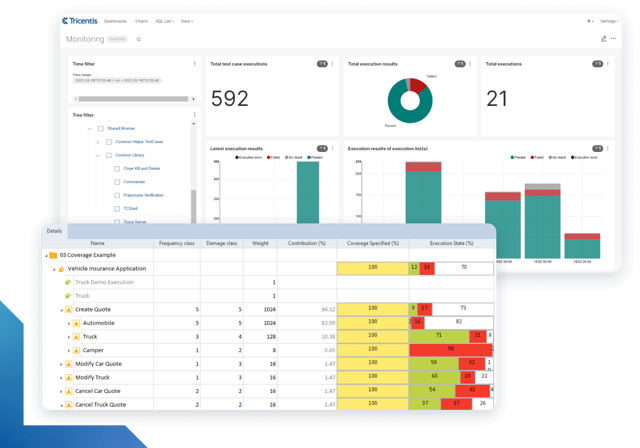
Learn more about intelligent test automation and how an AI-powered testing tool can optimize enterprise testing.
Learn more about intelligent test automation and how an AI-powered testing tool can optimize enterprise testing.